
Using a Digital Application to Refresh Knowledge of Abuse for Individuals with Intellectual/Developmental Disabilities
· Thesis
This is an HTML version of my thesis, a PDF can be found here
Table of Contents
Abstract
Individuals with Intellectual/Developmental Disabilities (I/DD) are abused more frequently than individuals without disabilities. One potential reason for this discrepancy, is the low rate at which instances of abuse are reported by those with I/DD. It has been shown that learning about abuse and how to report it, can cause an individual with I/DD to feel more confident about reporting any future instances of abuse. Within this work a digitized version of the current in-person abuse prevention training program, called the Awareness and Action (A&A) training, is developed and evaluated. The hope is that providing an application capable of refreshing an individual’s knowledge of abuse could help individuals with I/DD maintain their confidence in reporting abuse over the long term.
The resulting application is designed with the help of several individuals with I/DD through a collaborative design session. Engaging members of the community provided a variety of valuable insights that impacted the usability evaluations.
Usability evaluations were conducted remotely with six participants with I/DD. Of these six participants, five had been or were currently A&A trainers.
Through the use of collaborative design and usability evaluations, this work demonstrates that an application may indeed be an effective way of reinforcing knowledge of abuse. All participants in the usability evaluation indicated they would download and use the application; and that they would recommend others do the same.
First and foremost, I would like to express my sincere gratitude to Dr. Krishna Venkatasubramanian. Without his assistance and dedicated involvement in every step this work would not have been possible. I would like to thank you from the bottom of my heart for your support and understanding over this past year and a half.
I would also like to thank my committee members, including Dr. Noah Daniels and Dr. William Kinnersely. Dr. Noah Daniels, who taught one of my first classes in C++ and who pushed my knowledge of algorithms in Python. Dr. William Kinnersely, who showed me that math can, in fact, be absolutely fascinating.
To Emiton Alves and Mary Wishart, your contributions to the codebase were crucial to completing the project, thank you for your time and effort in making this work possible. I am also deeply indebted to Mass Advocates Standing Strong, all of the participants who made this work possible, and the coordinators who were happy to organize our meetings. To Najib Ishaq, my friend and colleague, thank you for providing a sounding board for my wild ideas along the way, you were an invaluable source of reason and honesty.
This thesis would not have been possible without the support of my friends and family. Thank you to my parents for always being there in times of need, always encouraging me to carry on, and always listening to my ramblings. Thank you to my grandparents for always believing in me, even when I may not have entirely believed in myself. And thank you to my girlfriend Taylor for tolerating countless late nights of writing and my awful habit of reading aloud whilst editing (even though we share an office).
Introduction
In the US, 9/10 individuals with Intellectual/Developmental Disabilities (IDD) will experience at least one instance of abuse1 in their lifetime; of those abused individuals, half will be abused ten or more times (Valenti-Hein and Schwartz 1995). Moreover, individuals with I/DD are generally at a higher risk of violence, such as assault or other violent crimes, than individuals without disabilities (Hughes et al. 2012). Yet, incidents of abuse against individuals with I/DD remains severely under reported. For example, only 3% of sexual abuse cases involving persons with I/DD are ever reported(Valenti-Hein and Schwartz 1995).
Researchers have found that individuals with I/DD are most often abused by those they already know, such as a caregiver or a family member (Venkatasubramanian et al. 2021). Abused individuals may have nearly every part of their life monitored by the person abusing them. Perpetrators of abuse use their connection to, or control of, the abused to manipulate them into remaining quiet; whilst larger societal attitudes tend to discount the voices and experiences of people with I/DD. It is this manipulation and the general perception that they will not be taken seriously that pose the largest barriers for getting individuals with I/DD to report abuse (Venkatasubramanian et al. 2021).
Problem Statement
Empowering individuals with I/DD to report incidents of abuse must be a top priority for society. It has been found that undergoing abuse prevention training can improve the understanding, recognition, and reporting of abusive behavior (Venkatasubramanian et al. 2021). Today, the Awareness and Action (A&A) program provides such trainings in Massachusetts for anyone who is able to attend. These three-hour training events take participants through multiple types of abuse, warning signs, and how to properly report instances of abuse.
The importance of the material contained in the A&A training cannot be understated; yet physical trainings do suffer from some distinct drawbacks. Logistically, individuals with I/DD who wish to attend a training must coordinate travel to the physical location in order to participate. Moreover, trainers themselves can only host so many sessions a year, potentially leaving certain populations without access to trainings for extended periods of time. Unfortunately, if these types of logistical barriers are not overcome, it can be hard to maintain an understanding of the material, as frequency has been shown to be crucial for individuals with I/DD to maintain knowledge (Ayres and Cihak 2010; Buehler et al. 2016).
Even when users have unfettered access to as many trainings as they need, motivating them to attend may be difficult. Motivating an individual to complete any action can be a challenge, let alone when a user finds a task to be boring (Macdonald and Brewster 2019). Some individuals may view the idea of completing additional refresher courses on abuse as a boring prospect, since there will be no new information presented. One can assume that compounding this boredom with the logistical challenges mentioned above may lead to difficulties when it comes to motivating individuals with I/DD to complete enough trainings to maintain their knowledge about abuse and how to report it.
Not only can attending trainings be challenging due to logistical and motivational issues, but emotional issues may emerge as well. Unfortunately, individuals with I/DD who attend the training may have experienced the types of abuse being presented, these images may trigger emotional responses in the participants. During the in-person training, when individuals become emotionally triggered by the content of the training, staff members are there to step in to alleviate the mental distress. One must not forget that the individuals attending the training may have been abused themselves or may still be involved in an abusive situation.
Proposed Solution
One potential solution to the aforementioned logistical problems of attending multiple training sessions could be to digitize the in-person A&A training, thus making it accessible anytime and anywhere. Special care would have to be taken while creating the application to ensure that users are motivated to use it regularly, whilst simultaneously preventing users from becoming triggered by any of the materials. This work intends, through the use of collaborative design (co-design) and usability evaluations to determine if such an application could be developed. If successful, this application could enable individuals with I/DD to better protect themselves and those around them.
Motivating a user to return to an educational application regularly can be challenging. Applications are always seeking new ways to generate either intrinsic or extrinsic motivation to increase user retention. Since external forms of competition have been shown to cause anxiety that can reduce learning performance (Shaban and Pearson 2019), using intrinsic motivation to encourage persons with I/DD to complete refresher trainings regularly may be preferred to extrinsic motivation. One promising way to foster intrinsic motivation in educational contexts is to apply elements from gamification, such as awarding points or providing a narrative that users progress through.
Whilst focusing on developing an engaging application that will motivate users to keep coming back is important, one cannot forget that the material in the A&A training may be challenging for individuals to work through. There will be users who have been abused, users who have witnessed abuse, and users who may have lost friends or family to abuse. Throughout the in-person training, instructors ask participants to join them in a number of calming breathing exercises and grounding activities, such as a sensory exercise in which participants are asked to describe small objects using all of their senses. Likewise, a digital version of the training could also provide similar activities to prevent users from experiencing undue emotional distress, along with providing simple mechanisms to connect with emergency contacts.
This work explores what types of grounding activities may be well-suited for consumption in a digital format in both the co-design and usability studies. Within the later study, a digital xylophone is used as the grounding activity, wherein participants may play musical notes until they feel calm enough to continue with the lesson. Extreme caution must be taken with this portion of the application, as emotionally triggering an individual who may not have anyone in their proximity can be a traumatic experience. If an individual is using a digital application on their own, in the comfort of their home, and they become triggered, the potential outcomes can be quite negative.
Creating an effective application, one capable of refreshing all of the knowledge presented during the A&A training session, will require trial and error. Through the use of co-design and usability evaluations, this work will explore a wide variety of formats to present the learning materials in. In the end, the hope is that an effective format to convey the A&A training can be found.
To assess the viability of a digital version of the A&A training program, several key research questions were identified:
-
What aspects of interactive content inspired by ideas of gamification work for the refresher application?
-
How are grounding activities built into the application received by the audience?
-
Can an application effectively refresh an individual’s knowledge from the Awareness and Action training?
Findings
Overall, results from this work are extremely promising. Participants stated that they would download and use the final prototypes, that they would encourage others to do the same, and that the application was effective overall. Moreover, results from both included studies help in forming a set of recommendations for future applications that may prove to be effective at a large scale in refreshing an individual knowledge about abuse and how to report it. Interestingly, participants also uncovered novel use cases for the final prototypes that were not intended, a result expanded upon in Chapter 5.
Related Works
Developing an application capable of refreshing an individual’s knowledge of abuse and how to report it is not a trivial task. Compressing the existing abuse education program entitled Awareness and Action (A&A) training into a digital format poses a number of unique challenges. One must take great care in not triggering any user of the final application, as the subject matter can be quite challenging, especially for those who have been abused. Then, one must ensure the application is engaging, that it provides enough intrinsic motivation to encourage users to continue using the application to maintain their knowledge in the long-term. Finally, one must provide materials and interfaces that can effectively be used to maintain the understandings gained at the in-person training session autonomously, so that individuals can practice as much as they see fit, without needing interventions from their friends/family/caregivers.
Literature included in this section addresses two main areas of research. The first section investigates previous efforts in digital learning for individuals with I/DD, while the second focuses on the application of various elements from gamification to educational contexts.
Digital Learning for Individuals with I/DD
The introduction Massive Open Online Courses (MOOCs) have undoubtedly made learning more accessible than at any time in the past, however, are these types of courses accessible to individuals with I/DD? This is the question Guimarães and Mattos set out to answer in their work “Exploring the Use of Massive Open Online Courses for Teaching Students with Intellectual Disabilities" (Laiola Guimarães and Britto Mattos 2015). In their study, the researchers worked in collaboration with a Brazilian Non-Governmental Organization for people with I/DD to provide a MOOC to complement vocational training designed to help the students obtain and maintain paid employment. To accomplish this, the program focuses on teaching early math operations and reading time on analog clocks. Five people from the program participated in this qualitative study, one instructor and four students with I/DD.
Before the technological intervention was introduced, each student had participated in roughly sixteen hours of in-person training with the same instructor. For the study, all students were brought to the same classroom they had completed their previous training sessions in, each was given a tablet, the instructor then provided a brief introduction to the devices and how to use them. A camera was used to record the entirety of the session. Once all participants were familiar with the devices, the instructor provided a fifteen-minute review of the topics the students were going to be covering during the session using the concrete-pictorial-abstract approach with physical materials, stating that the initial development of a concrete understanding better enables students with I/DD. Finally, the instructor walked the group of students through opening the MOOC application, Khan Academy in this case, and starting the required lessons.
During their time with the application the students were allowed to ask questions. After completing the lessons each student participated in an individual interview with two researchers, which lasted for 5-15 minutes. Researchers then analyzed the recordings of the session and the interviews to develop their results.
Overall, the researchers conclude that the participants in the study considered the experience to be a positive one. Their key observations were that tablets did not represent a barrier for the students, the instructor should be able to create their own lessons, students became dependent on hints quite easily, positive feedback was a good motivator, and that classroom coordination is a challenge when using self-paced learning. To mitigate the negative observations the researchers uncovered, they suggest allowing instructors to design courses specific to their students, that all support should be provided in such a way that encourages autonomy, and that the introduction of self-paced learning into a classroom be studied further.
Although Guimarães and Mattos introduce the students to Khan Academy and discuss the need to develop autonomy within the students, they stop short of examining whether or not students would consider using Khan Academy on their own to continue their learning outside of the classroom. If the intention of MOOCs is to allow an individual to learn anytime and anywhere, the researchers should have asked if the students if they would be comfortable using Khan Academy on their own. Moreover, the application of the research done for this work to the current study is also limited by the content in question. Teaching basic skills is not emotionally equivalent to teaching individuals about a potentially triggering subject like abuse.
Identifying barriers for individuals with I/DD who want to learn autonomously is of the utmost importance, especially as technology continues to entrench itself into education. Buehler et. al identify problematic technical areas for persons with I/DD through the use of emic ethnography in their work “Accessibility Barriers to Online Education for Young Adults with Intellectual Disabilities" (Buehler et al. 2016). After years of observing individuals with I/DD interact with educational systems, the researchers consolidated their observations around the following categories: information retrieval, navigation and information architecture, file management, and password management. Buehler et. al explore how these problematic areas effect how individuals with I/DD perform a variety of technological tasks relating to education and propose mitigation strategies which may help creators make more inclusive educational applications.
The researchers involved with this study collected their findings over several years helping administer an inclusive post-secondary certificate program designed to teach individuals with I/DD the necessary skills to promote independent living and employment. Specific accounts included in the work were collected over a semester with twelve students, six of which were persons with I/DD, the others were undergraduates. Each researcher in the study maintained a detailed set of field notes, identifying recurring issues and obstacles faced by the students with I/DD. Of particular interest to the current study is the recommendations laid out by the researchers within their work.
Recommendations from Buehler et. al include education and training for both students with I/DD and developers, using metaphors/visual cues/consistency in design, and including personalized predictions. Educating both students with I/DD and developers is a daunting task. Researchers recommend that students with I/DD receive specialized training on technical skills, something which is not always achievable, and frequent practice, which may be somewhat dependent on first having the skills. Additionally, they recommend that developers provide how-to videos to guide users through the various interfaces and functions of an application, while also suggesting that developers should be knowledgeable on guidelines for accessible design.
Consistency in design may be able to subvert some of the need for individuals with I/DD to receive specialized training, as consistent iconography could allow easier knowledge transfer between applications. Likewise, personalized predictions could help surface key information, preventing users from needing to dig for functionality. Moreover, Buehler et. al recommend that future research and development focus on improving visibility of interfaces, detecting and reducing frustrations, and adhering to participatory design practices.
Unfortunately, the researchers in this study fail to consider more than just the technical limitations users may face in using online educational systems. Emotionally triggering material may pose real barriers to individuals with I/DD learning about sensitive subject matters, and issue entirely forgone by this work. If a user becomes emotionally triggered, would that impact learning? What barriers might exist when only teaching sensitive content, such as abuse?
Gamification
| Concept | Description | Affected Behavior |
|---|---|---|
| Acknowledgement | Feedback that praises a players’ actions (badges, medals, etc.) | Engagement |
| Competition | Player v Player, scoreboards, healthy conflict | Engagement / Motivation |
| Cooperation | Teamwork or co-op missions | Motivation |
| Imposed Choice | Decisions the player is obligated to make for the game to advance | Engagement / Motivation |
| Level | Hierarchical layers present in a game with allow a player to obtain new advantages | Engagement / Motivation |
| Novelty | New or updated information is presented | Engagement / Motivation |
| Objectives | Guide the players actions, short or long term | Engagement / Motivation |
| Point | Measurement of performance | Engagement |
| Progression | Allows players to locate themselves within a game | Engagement |
| Sensation | Use of senses to create new experiences | Engagement |
| Social Pressure | Pressure through interactions with other players (real or NPC) | Engagement / Motivation |
| Stats | Visible information related to the outcome of the game | Engagement |
| Time Pressure | Pressure through time within the game (countdown) | Engagement / Motivation |
The Oxford dictionary defines gamification as “the application of typical elements of game playing (e.g., point scoring, competition with others, rules of play) to other areas of activity, typically as an online marketing technique to encourage engagement with a product or service)". Within this work, elements of game playing are defined based on “A Taxonomy of Game Elements for Gamification in Educational Contexts" by A. M. Toda et al. (Toda et al. 2019). A full table of game elements considered for this study are described in Table [tbl:taxonomy]. Recently, gamification has been applied to educational context, yielding a wealth of information on building intrinsic motivation within users to learn.
Basic skills, such as counting money or recognizing numbers, are often taken for granted in able-bodied individuals, yet for those with I/DD, mastery of these skills can be challenging to attain. Unfortunately, lacking these skills can leave individuals with I/DD more dependent on others to carry out their daily activities. Morales-Villaverde et al. present the development and evaluation of a collection of games designed to allow users to practice basic skills in their work “Online Learning System to Help People with Developmental Disabilities Reinforce Basic Skills" (Morales-Villaverde et al. 2016). Working with Imagine! and Hope Services, two organizations dedicated to providing care for individuals with I/DD, researchers iteratively developed and evaluated seven activities designed to help users recognize and work with numbers, colors, shapes, letters, and U.S currency.
Focus groups with an undisclosed number of participants were used to generate the initial requirements for the application. Requirements included the use of acknowledgement via positive reinforcers when a task was completed, clear objectives at the beginning of each activity, keeping the user informed of their progression throughout the application, an invisible time pressure via a ninety-second countdown which would move the user forward if they had not interacted with the app, the use of simple elements, and the avoidance of unnecessary content on every screen. Once the entire set of requirements had been defined, prototypes were created, and preliminary evaluations conducted. Heuristic evaluations were completed using Nielsen’s 10 Usability Heuristics, then a small cohort of individuals with I/DD along with their caregivers or guardians provided initial feedback on the application. These preliminary evaluations yielded a number of small bugs to fix and enhancements to make. Performance issues, such as timings, transitions, and user input issues were addressed; while enhancements like enlarging the buttons were developed.
Finally, a more comprehensive evaluation was conducted with ten clients of Hope Services. All participants were between the ages of 23 and 36 (mean = 28.4), there were four males and six females, all of which had I/DD. Participants were asked to try each activity on three different sessions over the course of two weeks, concluding each session with a short survey to assess their feelings towards the activity. Along with the survey, videos of all sessions were recorded and analyzed by researchers to look for positive/negative reactions, whether or not users needed assistance, and moments which required multiple presses to make a selection. Data from the coded videos and conducted surveys were then combined and analyzed, yielding the following results.
On average, 91.4% of users’ reactions were positive during the final evaluation. Averaging across all sessions and activities, 8.7/10 participants rated the activity they had just completed as fun, 9/10 rated it as helpful, 9/10 reported liking the activity, and 9/10 indicated they would use the activity again. Overall, the results of this study were very positive, though some users did require assistance from researchers on multiple occasions (52 times across the entire evaluation process). Several conclusions can be drawn from these results. First, activities like the ones used here can be well received by individuals with I/DD. Second, individuals with I/DD want to use applications like the one proposed by Morales-Villaverde et al. And finally, completing activities like the ones found in this study may be helpful to individuals with I/DD.
While the results of this study are quite promising, there are inherent limitations to the work. Even though users responded favorably to the application both in their surveys and in their reactions, longitudinal research is necessary to know if these types of activities are truly effective ways to learn these basic skills for individuals with I/DD. Additionally, the skills covered by this work are concrete in nature, though this was the purpose of the study, it limits the direct application of the techniques presented here to more abstract concepts.
Studies like the aforementioned work by Morales-Villaverde et al. mention their requirements when designing applications for individuals with I/DD, yet they stop short of presenting frameworks for future efforts to build on. Shaban and Pearson aim to address this lack of a formal framework in their article “A Learning Design Framework to Support Children with Learning Disabilities Incorporating Gamification Techniques" (Shaban and Pearson 2019), where they lay out both what to do and what to avoid when applying gamification techniques to educational contexts. Specifically, this work connects existing concepts from Human Computer Interaction (HCI) and cognitive load theories to suggest practices that bear in mind the potential limitations in working memory capacity that can be found in persons with I/DD. By drawing these conclusions, the authors offer a blueprint for applications that may better serve end-users with I/DD.
To construct their framework Shaban and Pearson conducted a survey and distillation of previous academic works in Cognitive Load Theory, multimedia learning design, Human Computer Interaction concepts, impacts of I/DD on learning, and the correlation between anxiety and lower academic performance. Overall, their framework consists of four major components: analysis, design, development, and evaluation. Analysis involves understanding the end-users, their expectations, their needs, and their prior experiences. Shaban and Pearson offer many helpful guidelines for the design phase, all of which they organize into the following distinct principles: place the user in control, provide feedback, motivate the user to accomplish the task successfully, offer content in multiple modalities, guide users through activities, segment content, signal what is important, provide coherence through the entire application. Each principle, in turn, contains a number of guidelines to adhere to.
To place the user in control of their experience, Shaban and Pearson recommend providing simple and intuitive navigation, allowing the user to determine when, and for how long, they will use the learning tool, bolstering their sense of autonomy. Feedback should be provided throughout the experience in a positive and affirmative tone, even when incorrect answers have been supplied. Authors propose using a helper/guider in order to foster a sense of motivation to complete each task successfully, this helper/guider is also recommended for use when guiding users through activities.
Due to the wide variety of disabilities that can be found in the community of individuals with I/DD, any content in the application should provide spoken and visual activities, rather than just written ones. Segmenting content requires presenting activities in discrete units with clear objectives and rewards. Signaling what is important involves highlighting the most important elements and using cues sparingly during activities, minimizing the cognitive load from unnecessary elements. Coherence dictates that all activities in the application should work towards the overall goals and that the application provide a concise report on the user’s achievement at the end of each activity.
Along with the full set of principles and guidelines to adhere to, Shaban and Pearson also make it a point that future developers avoid competition, which may cause an unnecessary amount of anxiety and thus decrease intrinsic motivation. Furthermore, they stress the importance of simplicity in design, as any element on screen places a burden on working memory, which may be limited in individuals with I/DD - everything should serve a purpose. After developing an application using these principles and guidelines, Shaban and Pearson recommend evaluation via usability, user experience, and cognitive load tests. The final application should be easy to use, functional, and enjoyable for the end-users.
While these principles and their guidelines are thorough and represent a positive step towards designing successful applications for individuals with I/DD, there are certain elements which demand further investigation. Although the authors point out the potential shortcomings in the use of competition, they still recommend consideration of points as rewards for completing activities, one must question whether or not the use of points at all is conducive to a competition-free environment; points provide an instant mechanism for comparison to others, for boasting, and for being made to feel inferior. Furthermore, the authors made no effort to empirically test this framework, nor do they consider the application of this framework on the larger population of all individuals with I/DD, who all share in the same potential limitations in working memory capacity. Finally, their evaluation includes various different usability and cognitive load tests, yet they make no mention of using co-design to help foster the creation of an app designed for the end-user by the end-user.
Gamification is a powerful technique, capable of drastically impacting human behavior. While there are a myriad of elements to consider when designing an educational system, there are some which appear to be more suited to the task than others. Generally, elements should be avoided if they require a large cognitive load, are distracting, or if they induce anxiety. Researchers should be encouraged to use simple mechanisms, especially acknowledgement in the form of binary rewards, to help motivate students.
Summary
Educating individuals with I/DD on sensitive topics using digital learning tools presents a number of challenges. Potential technical and emotional barriers must be accounted for. Applications must be accessible, intuitive, and they must motivate users to come back to reinforce what they have learned.
Researchers have gone to great lengths to detail potential technical limitations that can impact accessibility. Preceding works have demonstrated that existing systems, ones designed to teach benign materials, are reviewed favorably by individuals with I/DD; and, that gamification may be an extremely effective tool to drive positive user experiences. Yet, it remains unknown whether emotionally triggering materials can be taught using similar mechanisms.
Study I: Collaborative design for selection of important elements
This qualitative study explored what gamification elements, if any, should be included in an application designed to reinforce materials learned at the Awareness and Action (A&A) training program. Selection of key elements for testing began with a survey of preceding efforts in educating persons with Intellectual/Developmental Disabilities (I/DD) and concluded with a collaborative design (co-design) session to evaluate a set of medium-fidelity prototypes. In order to create the necessary prototypes to complete this work, personas (Cooper 1999) were generated to embody potential end-users of the application. Multiple scenarios (Sharp 2019) were then created around each of the individual personas, acting as narratives which were then distilled into discrete use-cases (Sharp 2019). Finally, these use-cases were used to generate a formal set of Volere atomic requirements (Sharp 2019).
After constructing a set of requirements, an initial set of low-fidelity prototypes were created using Adobe InVision, a drag-and-drop prototyping tool. Low-fidelity prototypes were iterated on several times within the research group; work at this stage in the project revolved around getting the prototype to more closely align with the stated formal requirements. Previous works in co-design, particularly those works including individuals with I/DD, have shown that having functional prototypes, also known as concrete probes, can facilitate more productive sessions (Brereton et al. 2015). Unfortunately, Adobe InVision lacked several crucial features at the time of this study that prevented the low-fidelity prototypes from being used as concrete probes. Once the low-fidelity prototypes had gained a consensus amongst the researchers behind this work, they were re-created as medium-fidelity prototypes with HTML/JavaScript, providing the necessary functionality to act as concrete probes during the co-design session.
The co-design session was then held, using the medium-fidelity prototypes to demonstrate the functionality of each prototype. Feedback from this session was collected and analyzed to guide the effort of creating the high-fidelity prototypes used in the following study. Over the next several sections the key steps in this study are outlined, results are presented, and conclusions discussed.
Generating Interactive Prototypes to Act as Concrete Probes
As mentioned above, generating interactive prototypes to act as concrete probes was viewed as crucial to the success of the co-design session. After establishing a set of initial requirements, prototypes were iterated on until they were deemed appropriate by the entirety of the research group involved at this stage.
Requirements Gathering
The first step taken in the development of the initial set of requirements was the creation of several personas (Cooper 1999). Personas embody those who are intended to use the final application, fictional characters described in vivid and realistic detail, they provide an anchor to make decisions from at every stage in the development cycle by allowing creators to continuously ask the question: can persona x use feature y to accomplish goal z (Sharp 2019). Moreover, extra care must be taken when designing for individuals with I/DD due to the wide variety of assistive technologies which must be accounted for. Creating personas with I/DD can help ensure every feature is built in an accessible manner from the beginning.
For this study three distinct personas were created: Alex, Dave, and Jessica. Each persona was given a profile page within the project documentation consisting of a fictional biography, an image, goals, motivations, frustrations, impairments, the technology they use, and whether not they need assistance to use their technology. After finalizing the personas profiles, each was given a set of scenarios, or “informal narrative descriptions" (Carroll 2000), focusing on how a task gets done in the application, rather than what gets done. These stories provide a more natural way to consider the needs of the user, their overarching goals, and how they feel whilst using the application to complete their task (Sharp 2019). Several scenarios were written for each persona of various lengths and complexities.
Each of these scenarios helped expose implicit assumptions and expectations, refine the personas themselves, and guide the creation of more formal use-cases for the application. Use-cases capture direct interactions between a user and the application by focusing on functional requirements (Sharp 2019). In this work, use-cases were created following the essential use-case framework, a framework that focuses on discrete steps that alternate between user intentions and system responsibilities (Constantine and Lockwood 1999). Thinking about the application in terms of system responsibilities as direct responses to user intentions helped discussions remain productive and focused.
For this work, each individual scenario was broken into as many use-cases as necessary to express all functions required to complete the scenario. Finally, these use cases were then used to generate the formal requirements of the project. An individual requirement defines an expectation for what the application will do or how it will perform (Sharp 2019). For this work, the Volere atomic requirement (Sharp 2019) framework was selected to create requirements.
In the Volere framework, each requirement has a general type, links to the relevant use cases in the project documentation, a brief description, rationale, the originator or author of the requirement, fit criterion, customer satisfaction/dissatisfaction ratings, the priority, any conflicting requirements, supporting materials, and the history of changes made to the requirement. In total there were twelve initial requirements drafted during this phase. Although the process of design should be iterative (Sharp 2019), these twelve requirements formed the foundation for the creation of the prototypes which would be used in the collaborative design session.
Developing the Prototypes
Preparing the prototypes for the collaborative design session was a challenge, as they needed to be functional enough to convey the idea, but not so complete that participants take anything for granted. Towards this goal, each prototype began as a low-fidelity mock-up created using Adobe InVision, a drag-and-drop prototyping software, allowing the research team to iterate quickly without having to re-write any actual code. These prototypes were considered internally within the research group and iterated on so that they better reflected the needs of the three personas. After working through a number of versions of each prototype within InVision, each prototype was recreated as a medium-fidelity prototype, using HTML and JavaScript, which provided additional functionality not available within InVision.
For this work, five different prototypes were generated from the list of formal requirements. Each prototype focused on a different key element identified during the requirements gathering process. Key elements considered at this stage were: emotional reinforcement, grounding activities, skills games, interactivity, and quizzes. Each of these individual elements, along with their corresponding prototypes are discussed in detail in the following sections.
Emotional Reinforcement
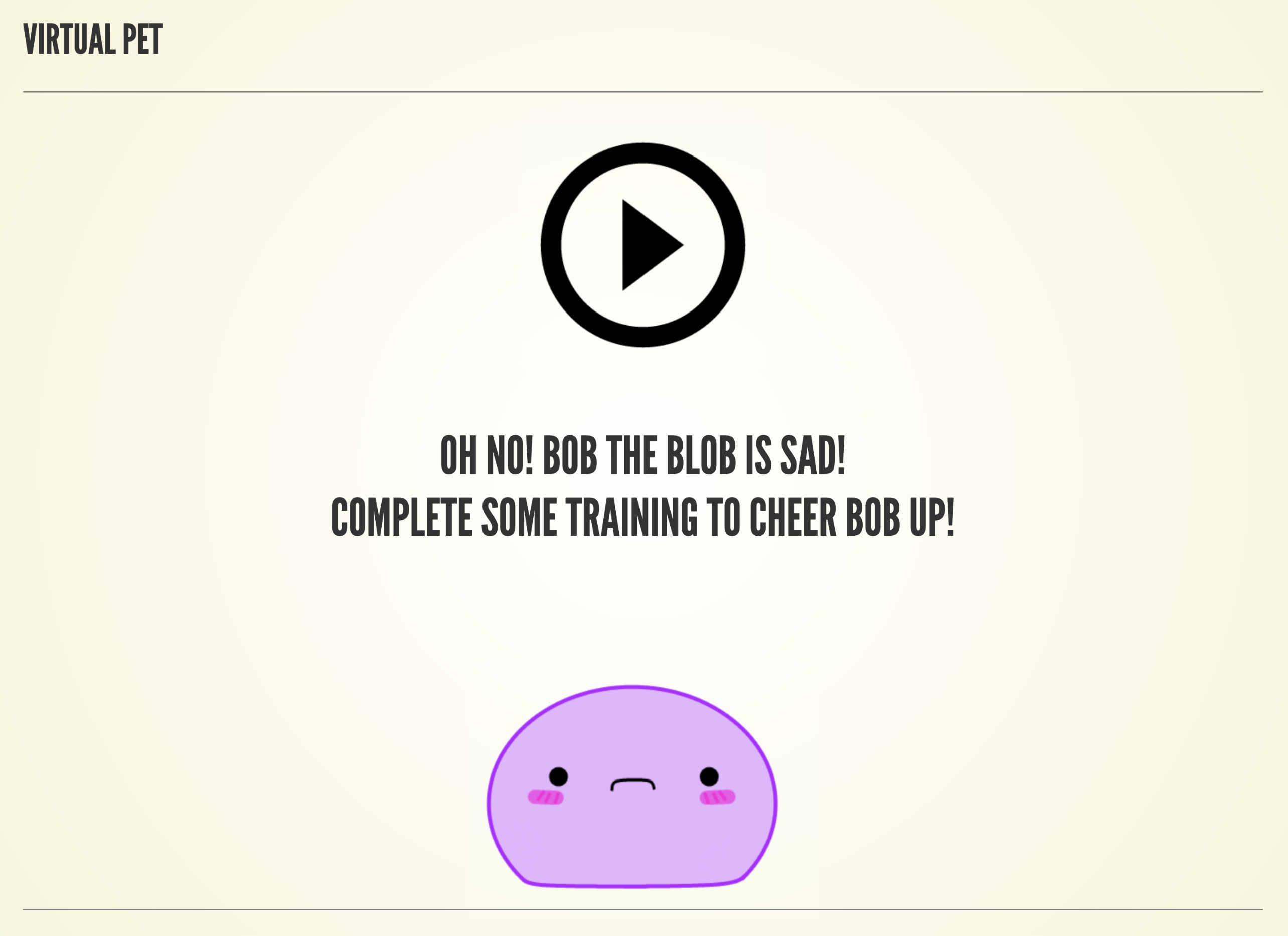
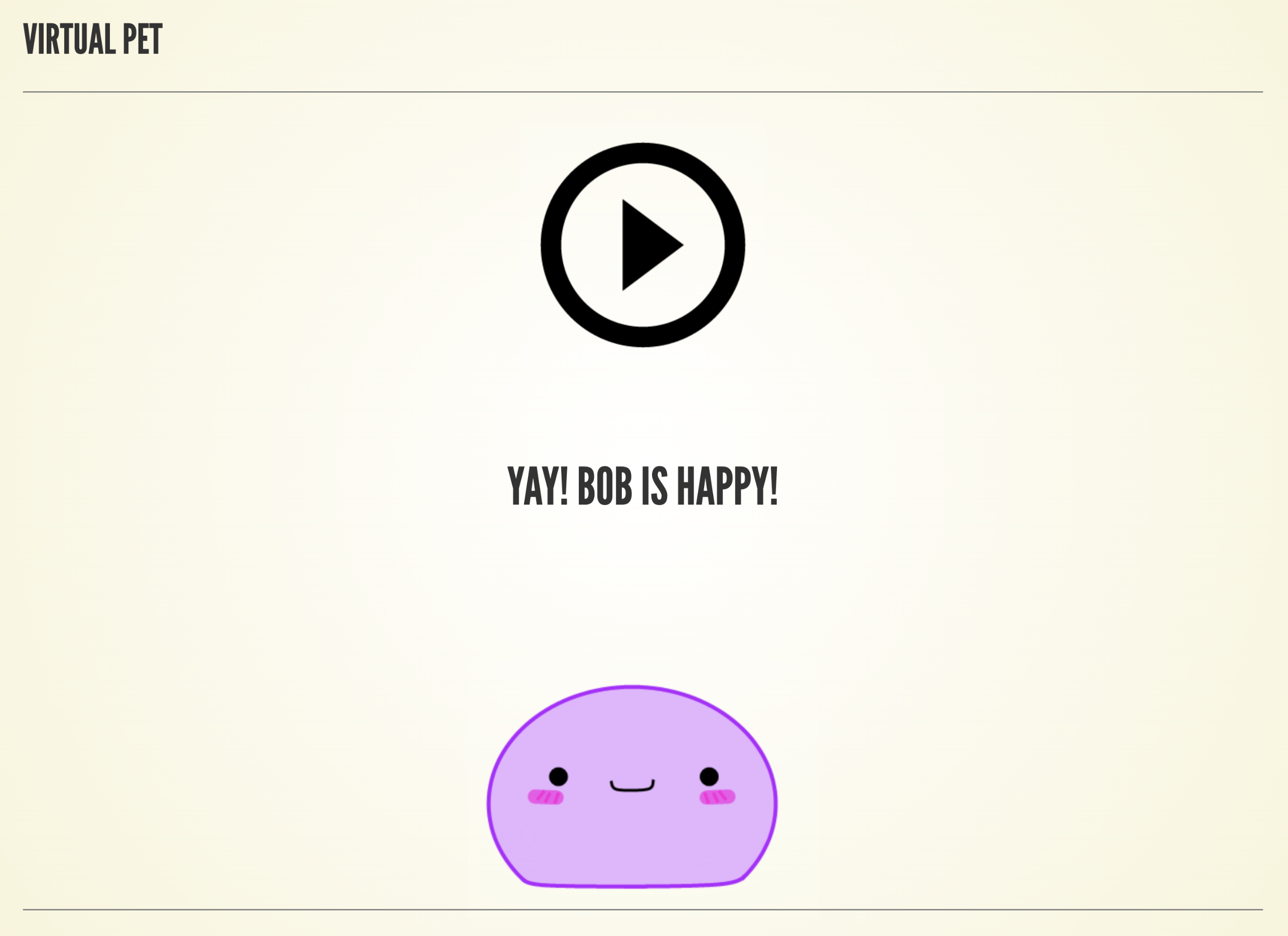
Emotional reinforcement was proposed as a mechanism to provide intrinsic motivation to end-users. Within this prototype, users are given a virtual pet, as seen in Figure 3.3. Whenever a user completes a lesson, their pet would become happier; however, this happiness would also decay over time, encouraging users to complete lessons frequently enough to keep their pet happy. Applying emotional reinforcement in this way was designed to reward the users of the application for completing lessons whilst preventing the emergence of extrinsic competition; since this technique removes the notion of points or cumulative rewards, user-to-user rankings would be impossible to create.
Grounding Activities
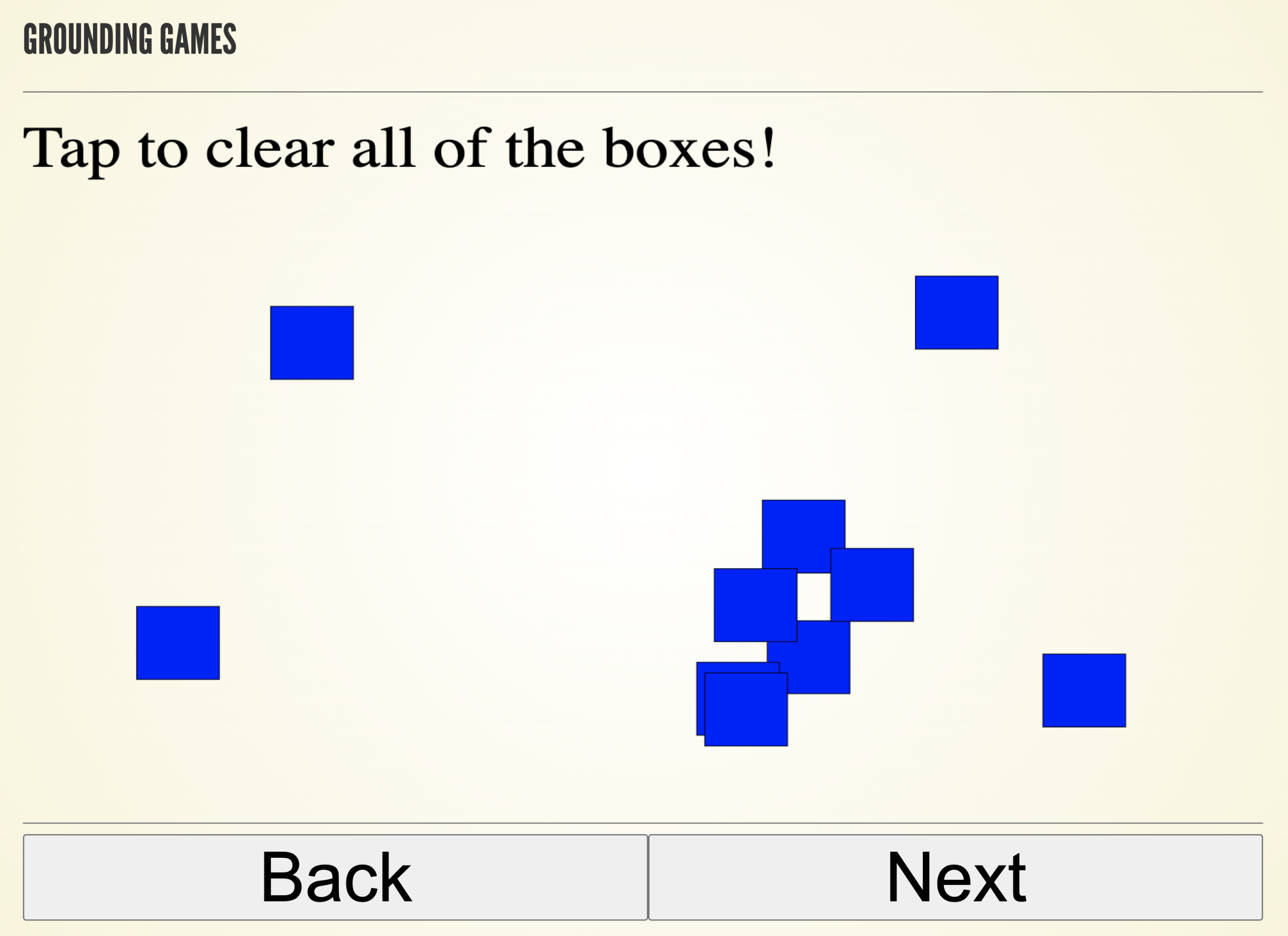
Grounding activities were proposed as a way to help keep users from becoming emotionally triggered as they moved throughout the applications’ lessons. The material presented in the application is of an emotionally charged nature, especially considering some users may have experienced abuse first-hand. A large number of ideas were considered viable grounding activities, examples include breathing exercises, small games (such as solitaire), or simple math activities. Although InVision was not suited for creating interactive elements, a box-tapping game was built in HTML for the medium-fidelity prototype, some screen shots of this game can be seen in Figure 3.6.

Interactive Elements
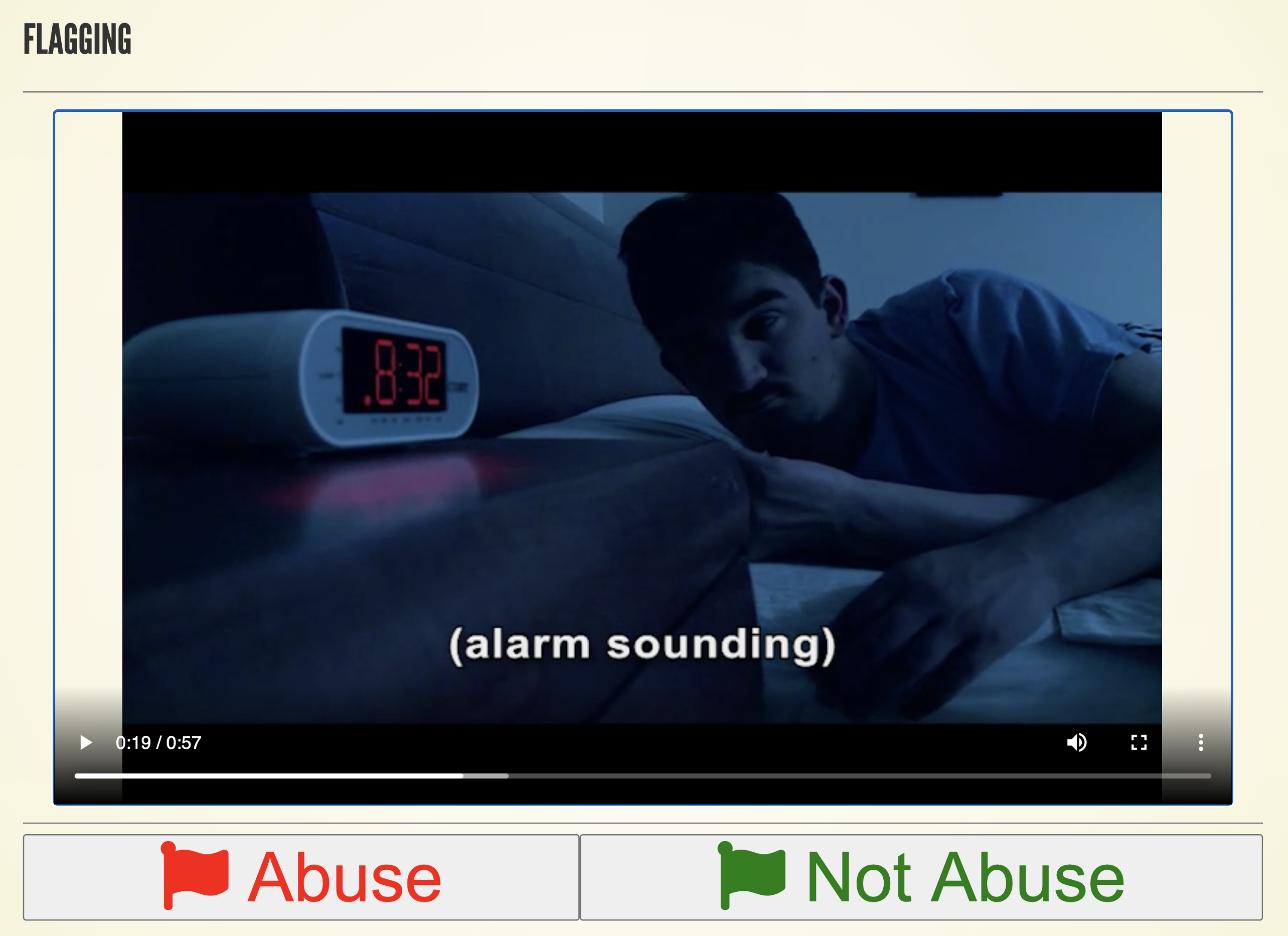
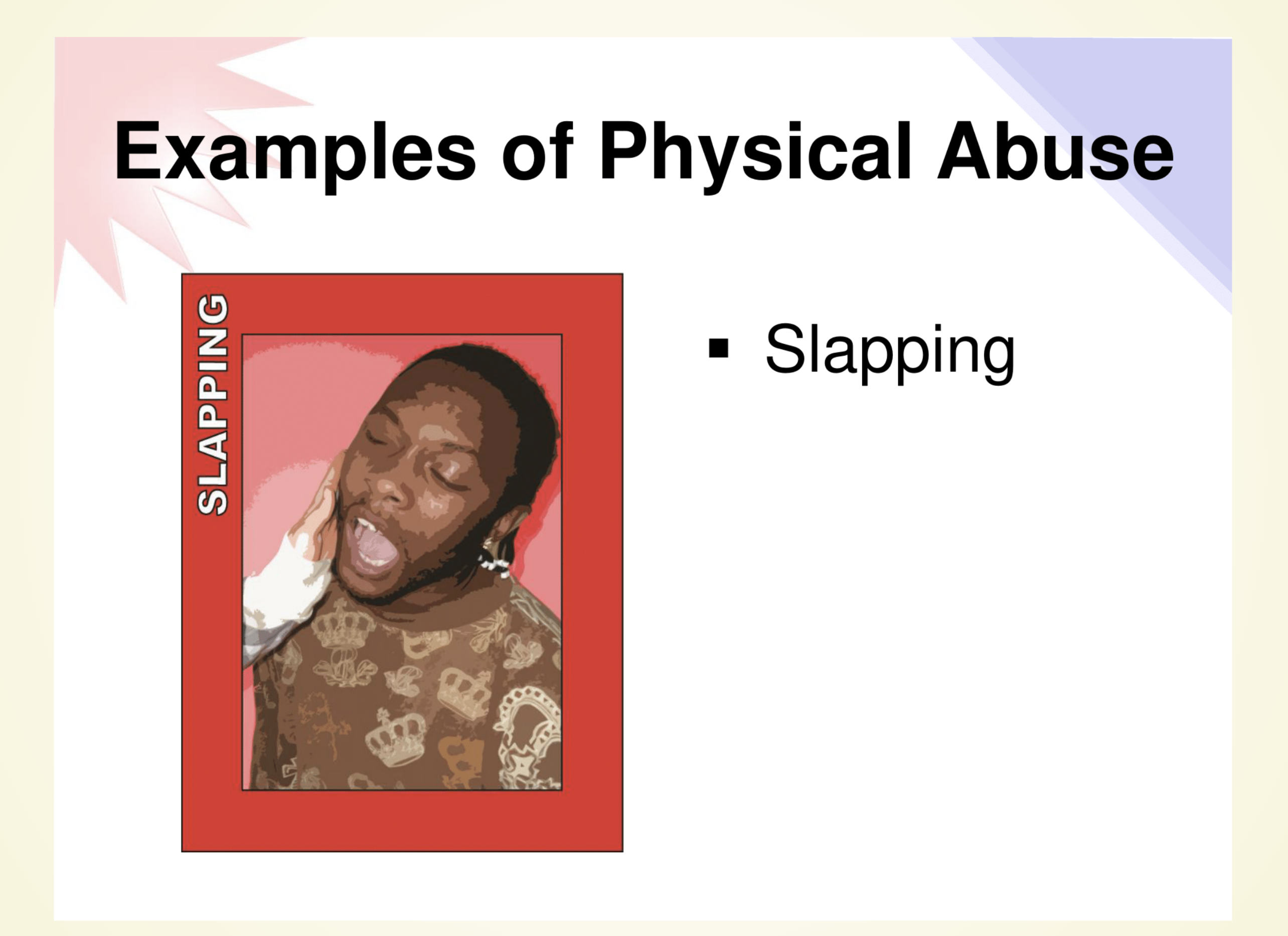
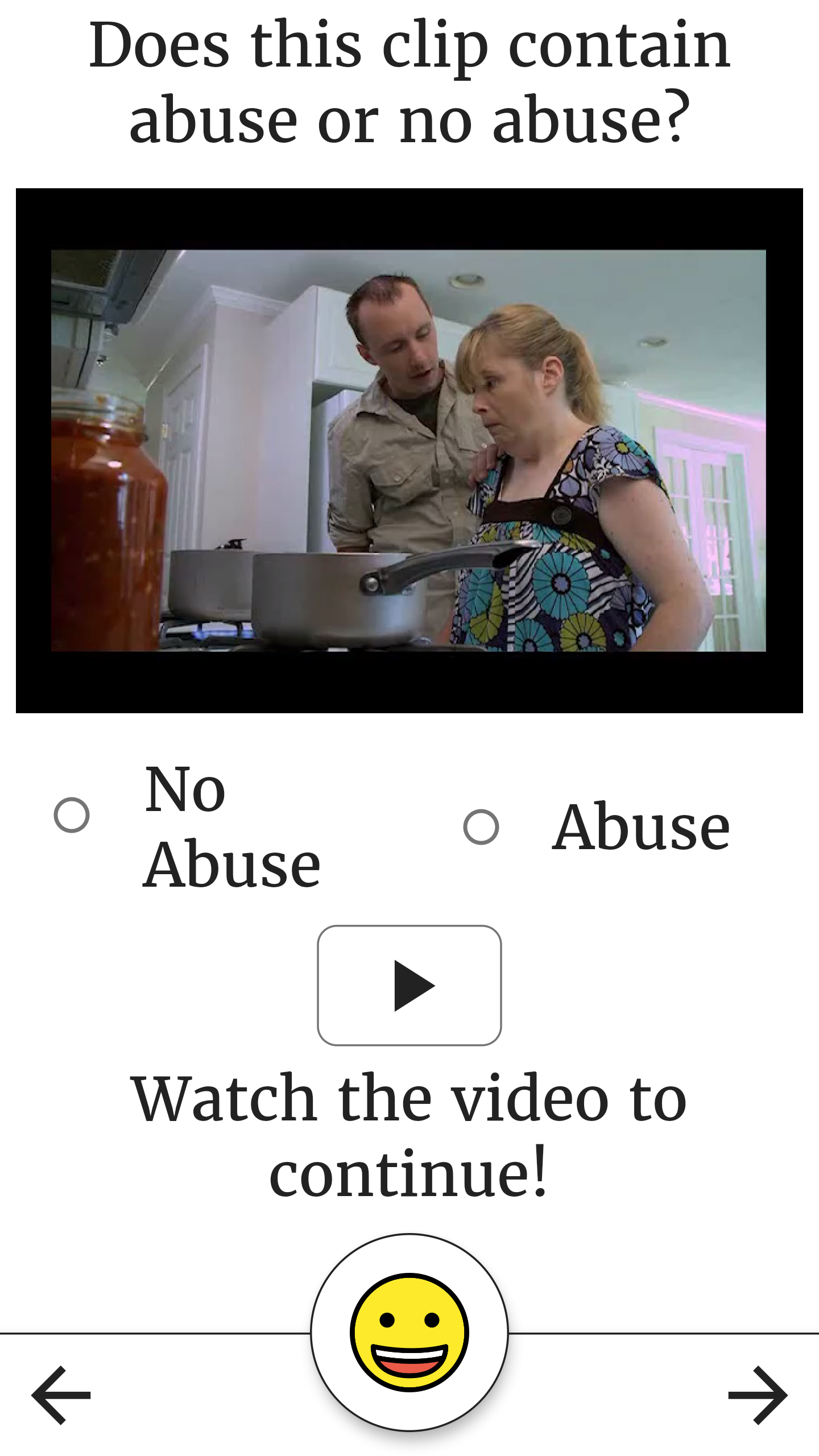
The prototype focusing on interactive elements explored whether or not a more interactive interface could help increase engagement with the materials. In order to answer this question, this prototype featured a video with several buttons that allowed the user to constantly interact with the application. As the video (sourced from the existing A&A training) played, users would be asked to mark things they thought were/were not abusive. As seen in Figure 3.9, the interface proposed in this version of the prototype relied on two major buttons, signaling abuse or no abuse, similar to the flagging exercise used in the A&A training, where participants are asked to use two physical flags to signal abuse/no abuse as the video plays.

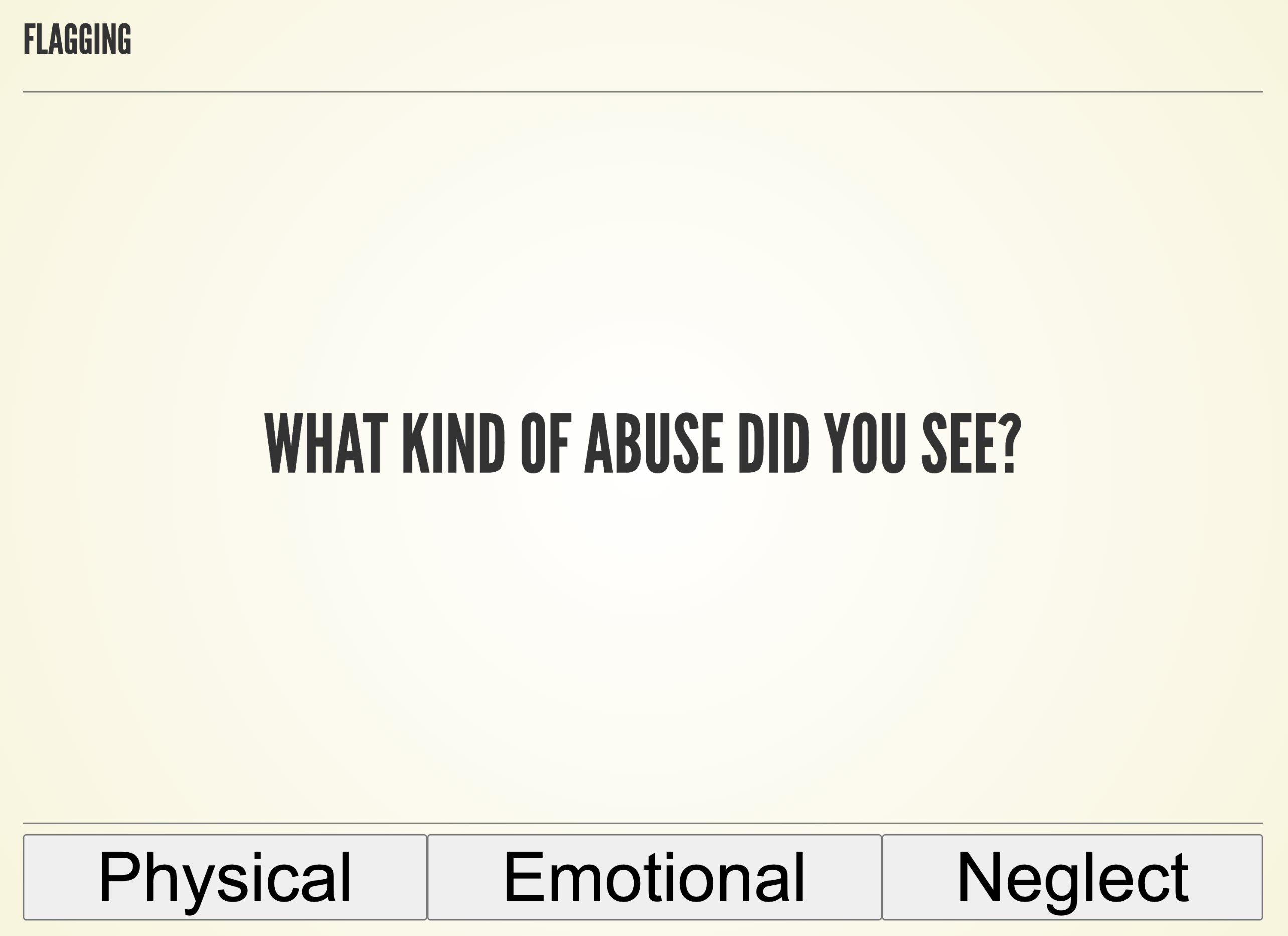
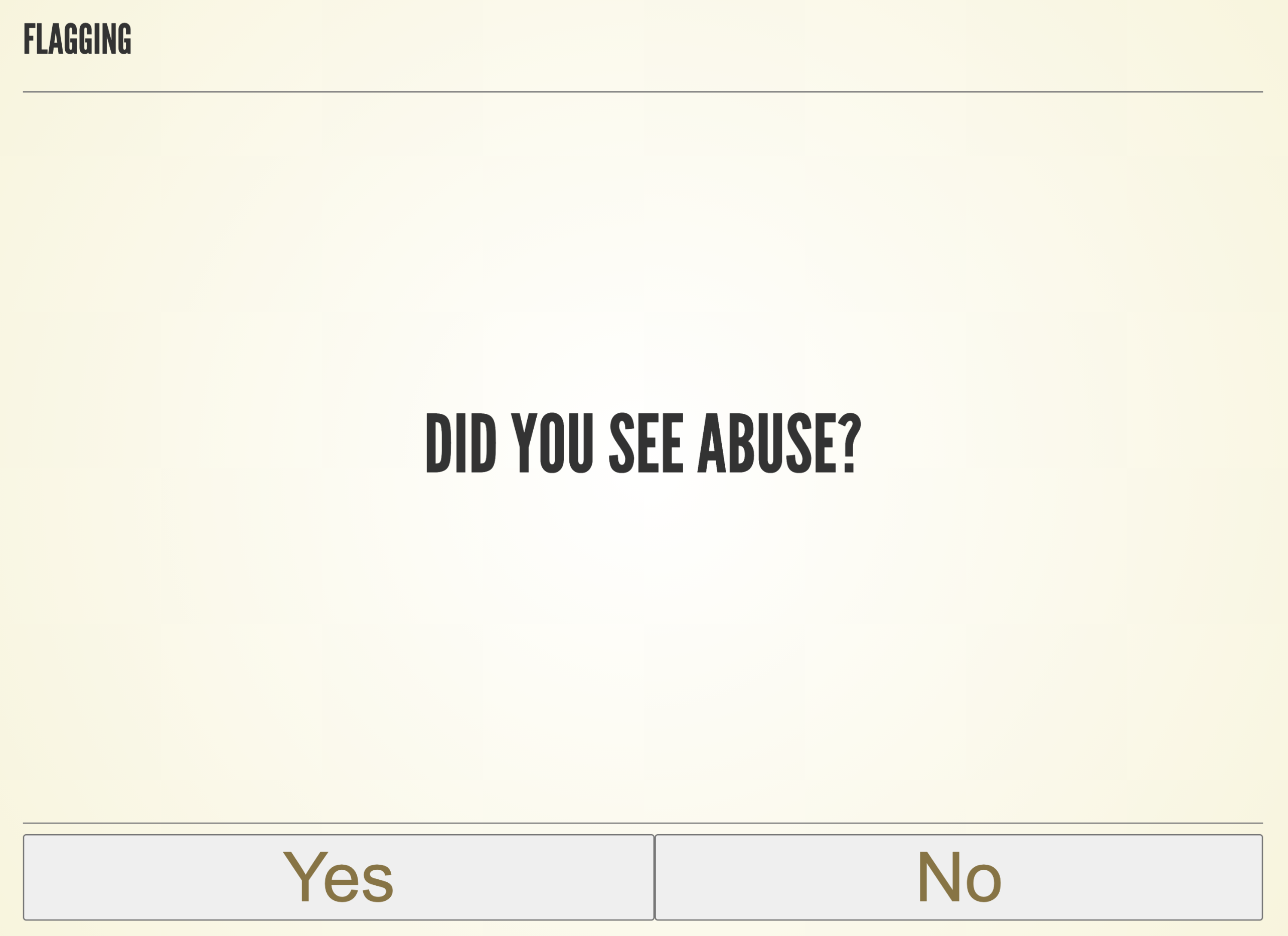
After the video finished playing, users would be brought into an educational flow depending on their reactions to the video, an example of this flow can be seen in Figure 3.12. If a user successfully marked the abusive segments of the video as containing abuse, the user would be asked to identify the type of abuse, and then the lesson would conclude. However, if a user did not successfully flag the abusive behaviors, a series of questions would follow the video to teach the user about the abusive behavior they witnessed in the video. Unfortunately, the required mechanisms to demonstrate this educational flow to the participants of the co-design session could not be completed in time, thus the flow had to be demonstrated by manually flipping through various screens.

Quizzes
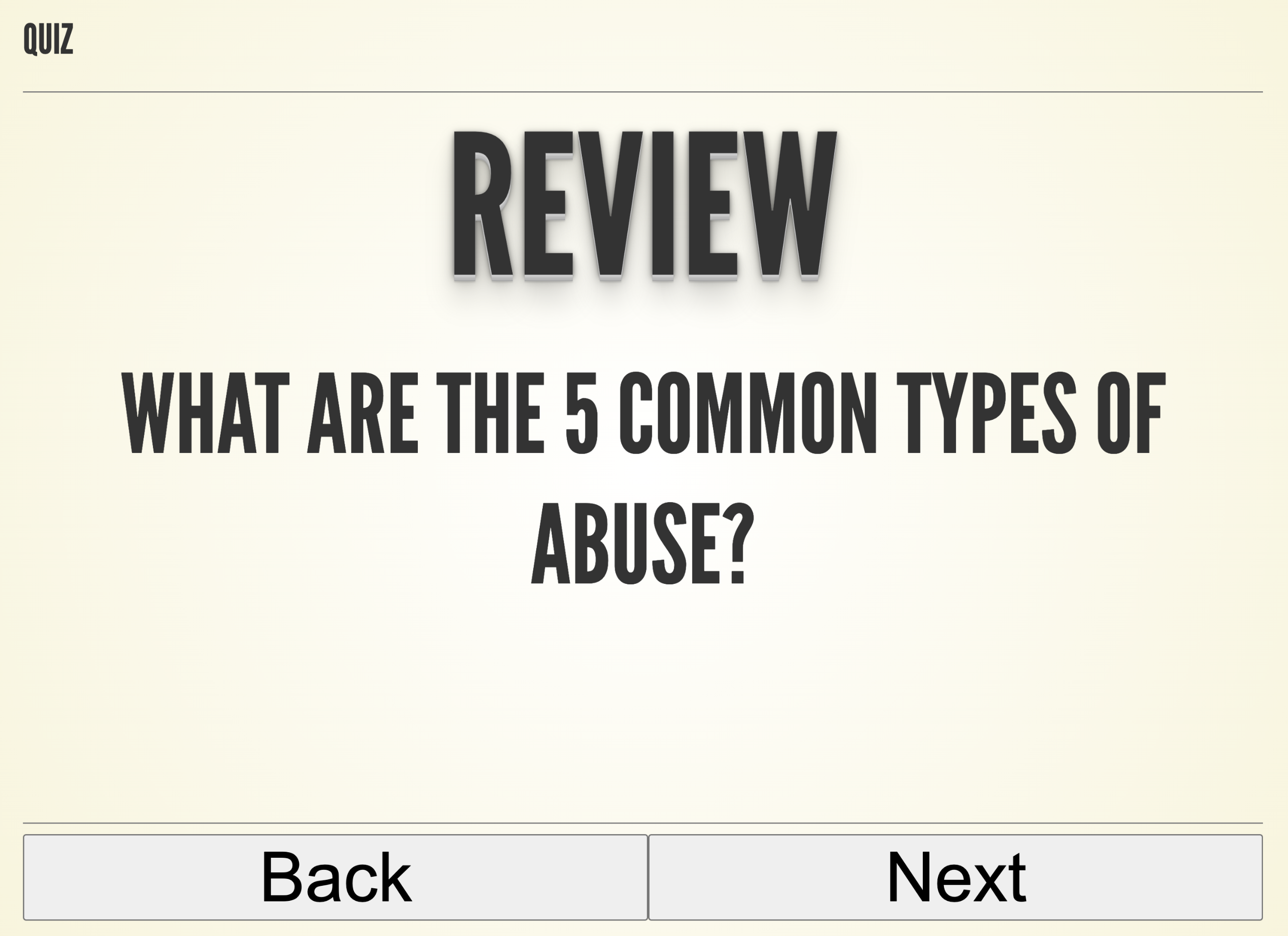
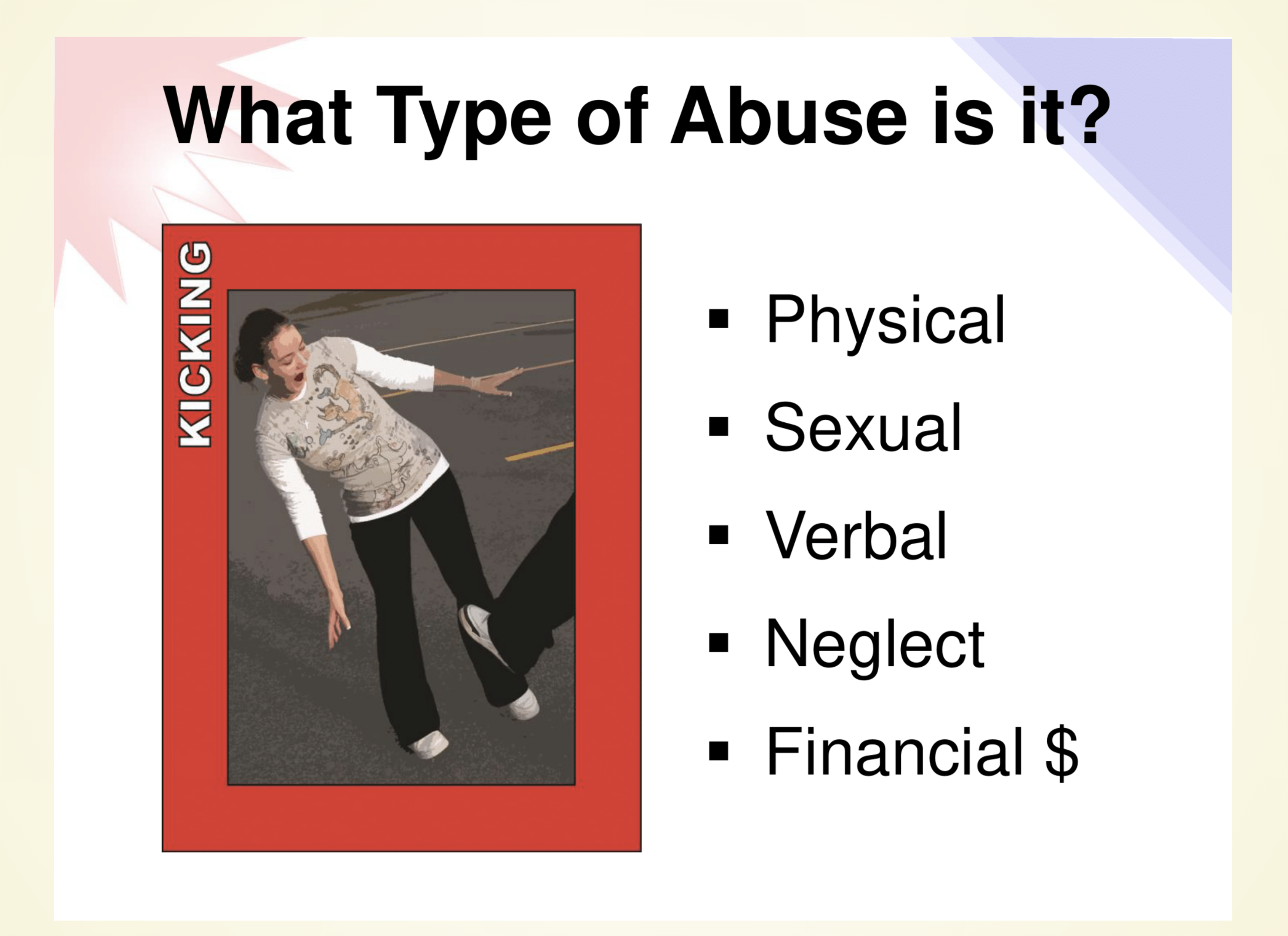
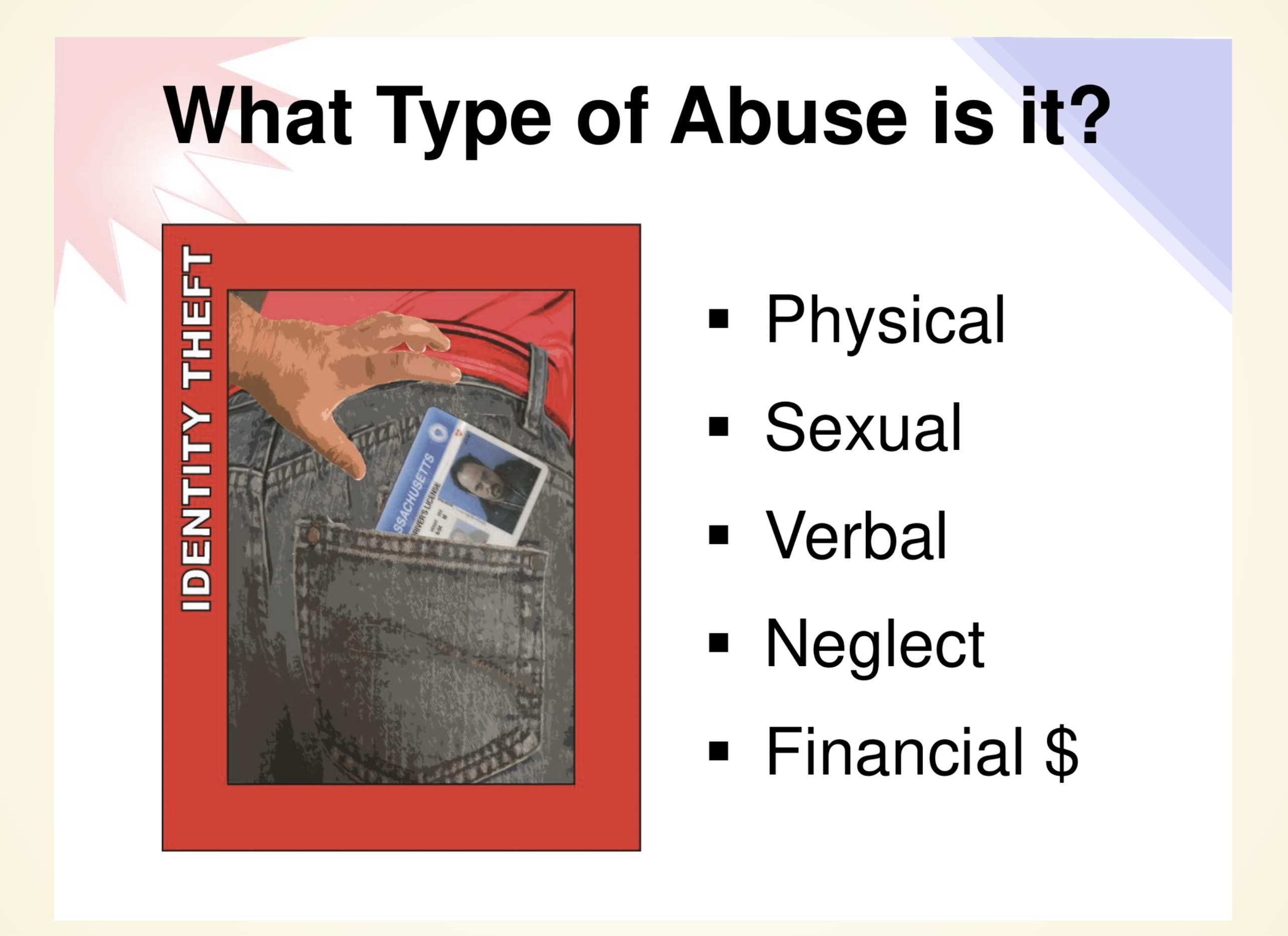
Quizzes were considered an integral part of this application from the inception of the project. Prompting users to answer a series of questions was viewed as a crucial step to developing a deeper understanding of the content. The prototype focusing on quizzes attempted to evaluate the value of an application that provided only quizzes. In Figure 3.15, a set of example questions from this prototype are shown.
Skills Activities
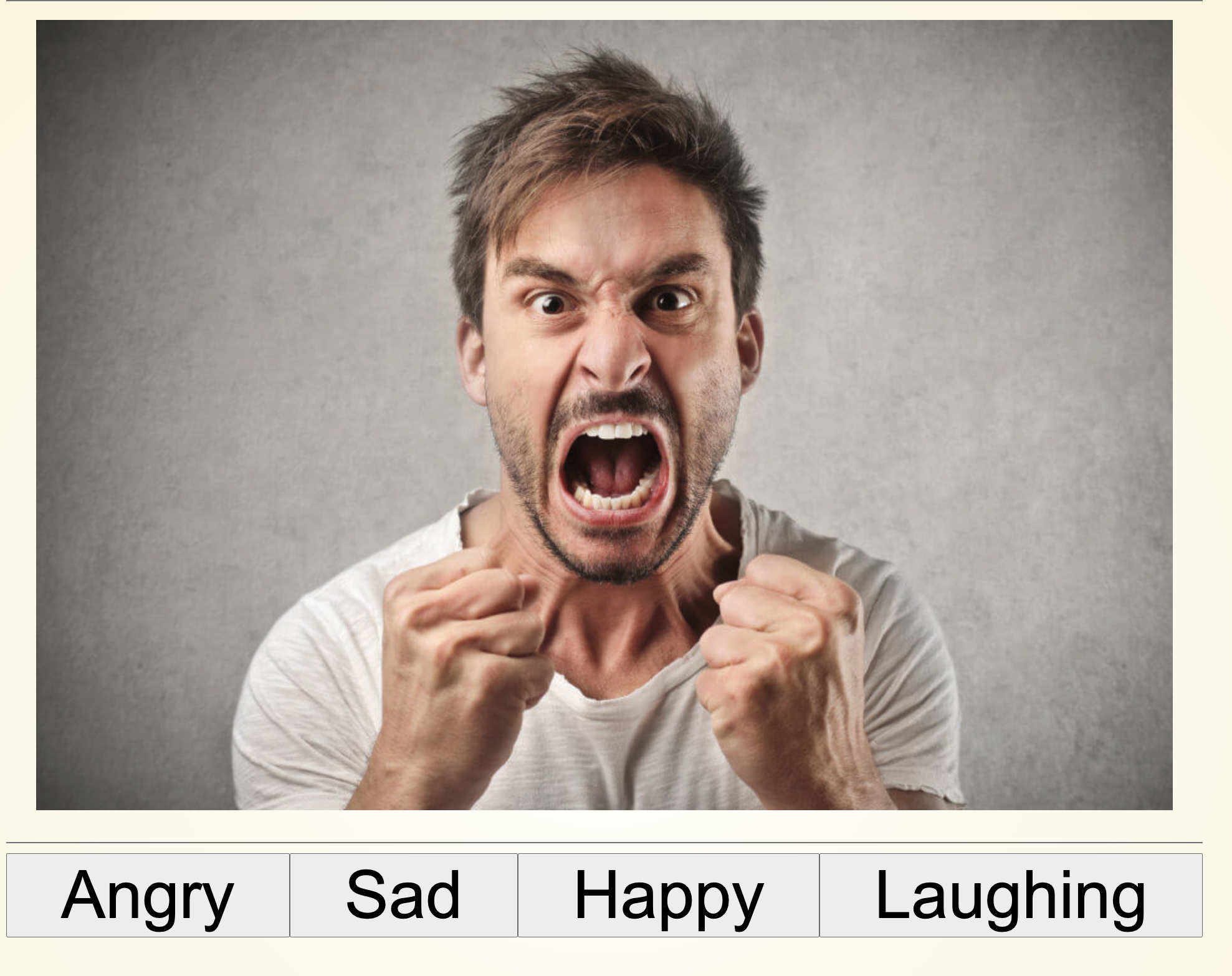
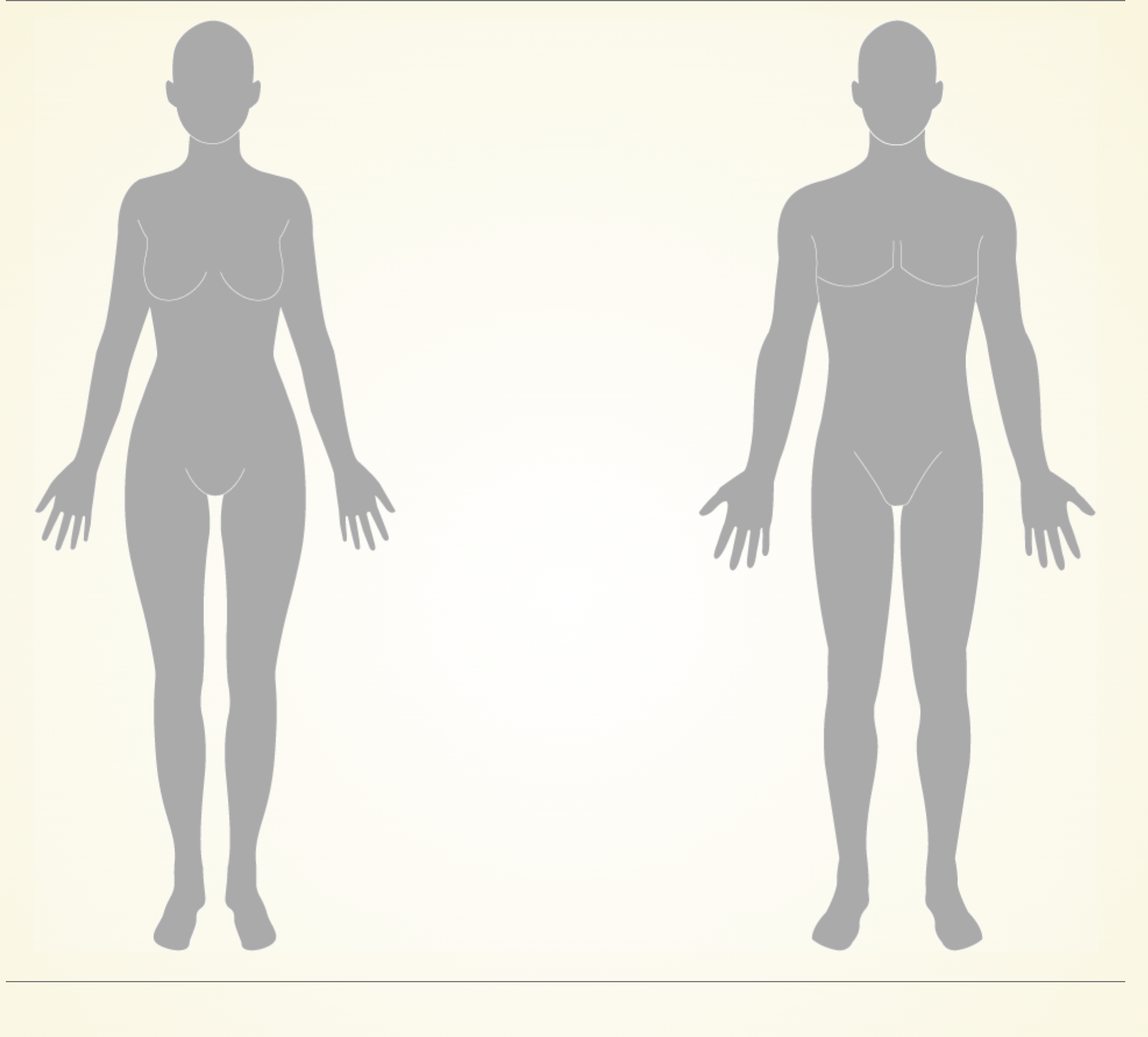
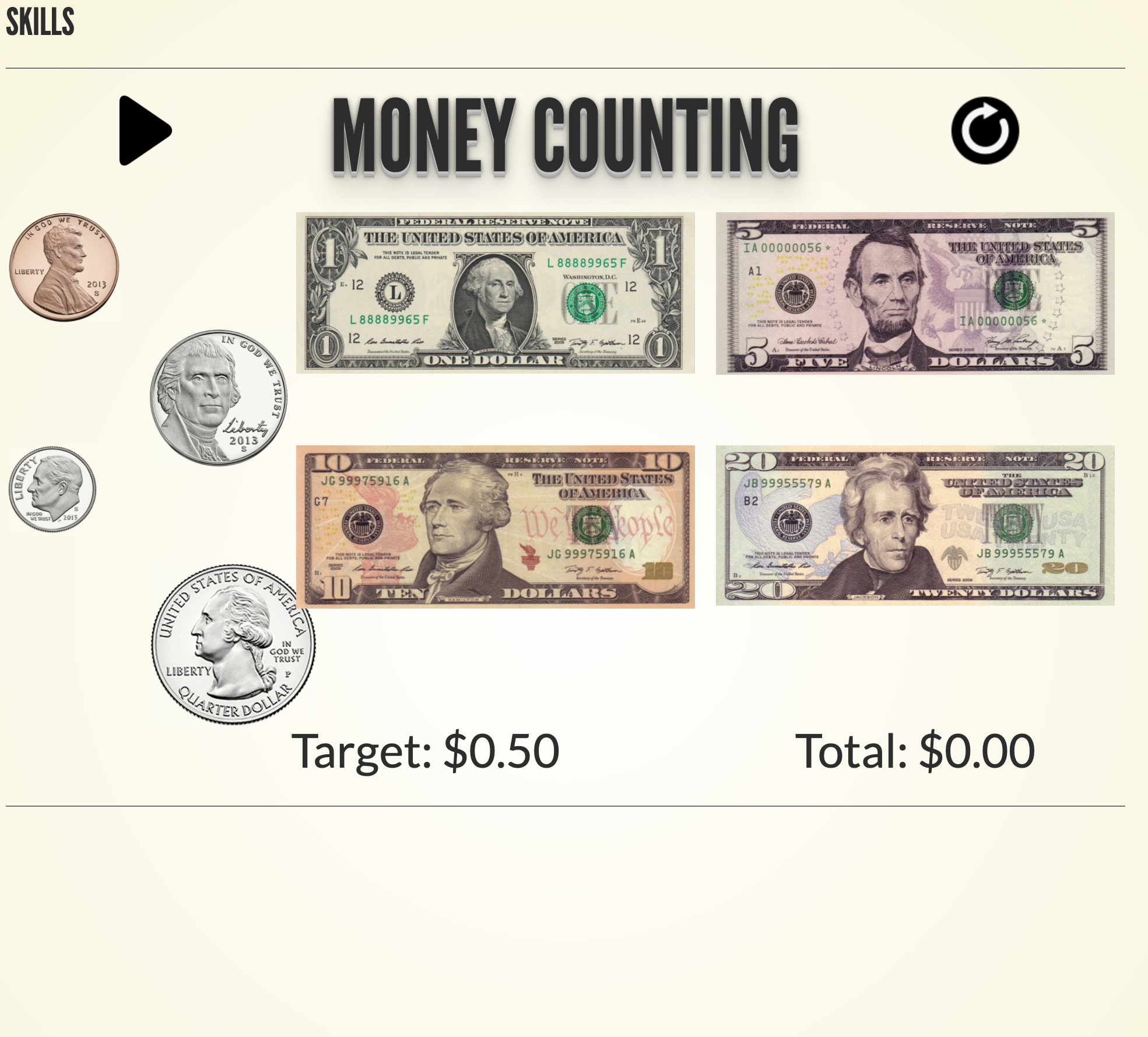
Instead of focusing entirely on the material itself, this particular prototype was proposed as a way to help users refine tangential skills. During the collaborative design session, participants were presented three distinct games, focusing on emotion identification, private body parts, and counting money. In Figure 3.18, a screenshot of each activity can be seen.
Within the emotion identification activity, users would be asked to select the emotion that the person in the image was expressing. The hope for this game was that enhancing somebody’s ability to detect and identify various emotions would help them better recognize warning signs of abuse.
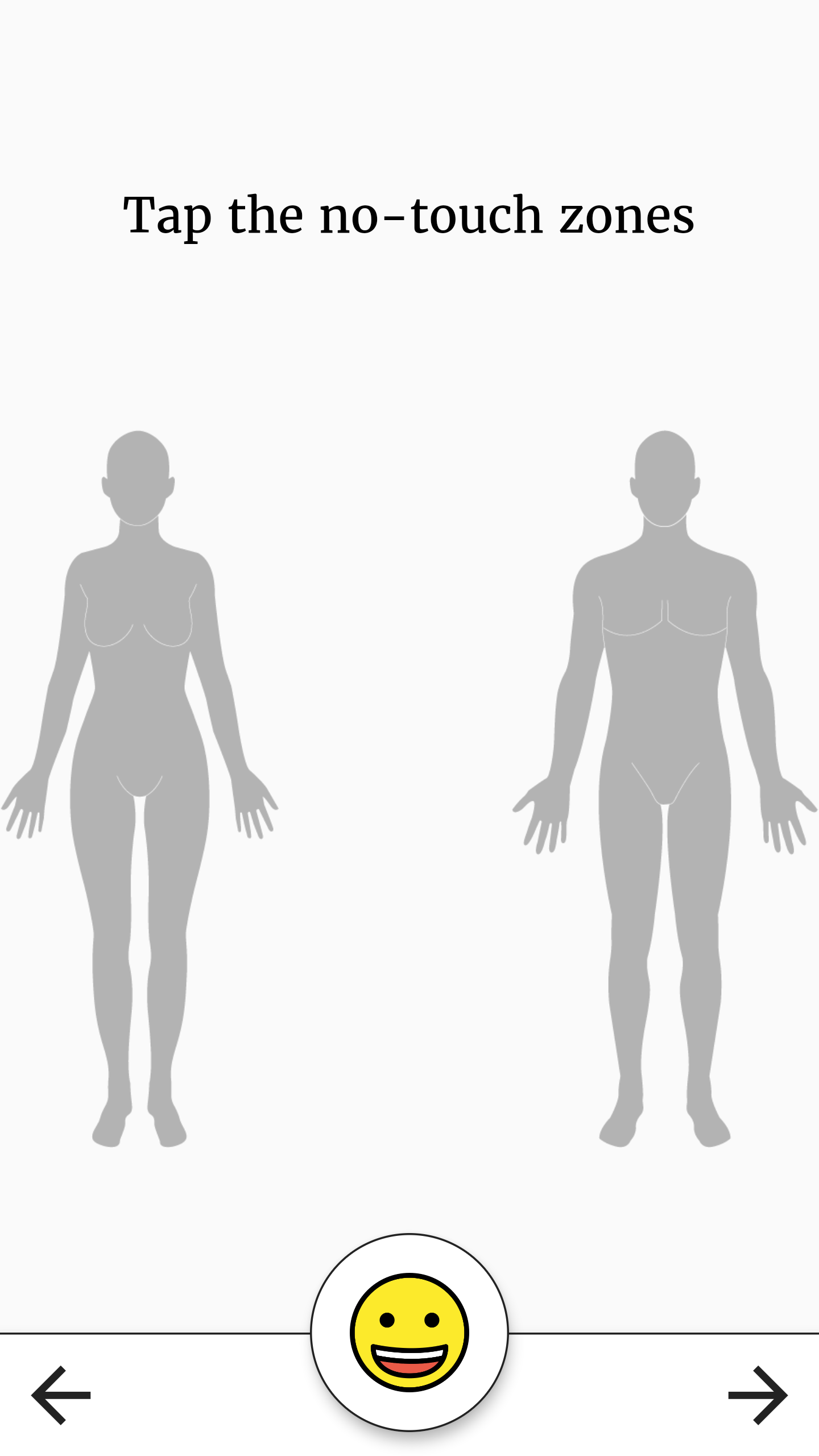
In order to help individuals better recognize sexual abuse, No Touch Zones, an activity centered around identifying no-touch zones on the body was presented. Within this activity, users would be asked to identify the no-touch zones on two drawings of a male and a female by selecting them on their screen. These drawings can be seen in Figure 3.18.
Finally, focusing on financial abuse, an activity centered around counting money was presented. The Counting Money activity would require users to select US currency denominations until they had reached a pre-specified amount.
These various activities were put forward to see if participants in the collaborative design session believed developing these soft skills could help individuals with I/DD recognize abuse more rapidly, without actually showing emotionally triggering content.
Results from the collaborative-design session
To evaluate and refine the medium-fidelity prototype for the final evaluation, the co-design session was held with a group of individuals who work closely with the existing A&A training. Overall, six co-designers attended this meeting, denoted C1 through C6; of the six participants, C1, C2, C3, and C4 were individuals with I/DD, C5 and C6 were able-bodied individuals. C1, C2, C3, and C4 were self-advocates2; while C5 and C6 were coordinators who worked with self-advocates. For the session, the medium-fidelity prototypes were both projected onto a large main screen and printed so that they could be distributed to all participants within a physical binder. Throughout the session participants were asked to vocalize as much as possible, to ask questions freely, and to draw in their binders if they desired. Not only did several researchers take notes during the session, but it was also recorded in its entirety.
During the session, the digital prototypes were treated as concrete probes (Brereton et al. 2015), participants were free to request the researcher to click anywhere they wanted so that they could experience interaction with the application. The principal researcher of this study led the group through each of the aforementioned prototypes, with a series of interview questions being posed after each had been shown in its entirety.
Emotional Reinforcement
Overall, participants viewed this prototype negatively. Participants unanimously agreed with C5’s sentiment that “[the application should] never take anything away from somebody", with C5 offering the following suggestion as an alternative: “if you were able to have different items that they could access as they level up, they never get taken away from them, but if they want to become, I don’t know, a master at something, they’re working their way up to that". When reflecting on this guidance, it becomes apparent that the emotional reinforcement mechanism does not fit this bill. Instead of monotonically progressing, the emotional reinforcement prototype had provided a pet that would lose happiness if the user had not logged in and completed a lesson for a certain amount of time. This insight from the participants of the co-design session was directly acted upon for the next iteration of the prototype.
Grounding Activities
Unlike the element of emotional reinforcement, grounding activities were both less contentious and viewed overall positively; all participants agreed that they should remain in the application. At various points within the current A&A training, the instructors take the participants through grounding activities, such as breathing exercises, in order to keep all of the participants relaxed even though they are learning about emotionally charging content. Just like the in-person training, the application also contains potentially triggering materials, and should endeavor to keep users calm. Participants unanimously agreed with C1’s sentiment that “it can be a little hard for people [to go through the training]", along with C2’s feeling that grounding activities would “keep more people engaged". When asked about what type activities should be included, C4 said “some people are more apt to do the grounding games than sit there and say like okay my app is telling me to breathe, I am breathing, you know?", with C5 adding “everyone regulates differently".
The next option proposed during the co-design session was to allow the user to select their own grounding activities from a short list of three or four options. C5 quickly pointed out that “I’m not confident that people know what regulates them", leading the group of co-designers to agree that having the application rotate through a variety would be best for the next round of evaluations.
New insights gained for this element included a time limit of approximately ten minutes, which would help users keep moving, along with the ability to skip the activity if the user did not need it, which generally aligned with earlier research in (Shaban and Pearson 2019) - users have a desire to feel autonomous, mandatory fun can diminish a user’s feeling of autonomy. Participants also suggested various types of activities that should be considered, such as activities involving early mathematics, painting, etc.
Interactive Elements
Integrating video content into the application proved to be challenging during initial development due to technical limitations, as described in Section 3.1.2.3 Guidance from participants in the co-design session provided much needed clarity even though the prototype of this feature was not fully implemented. Unfortunately, the neither the low, nor the medium-fidelity, prototypes were capable of fully demonstrating the desired functionality. In the case of the former, InVision did not support playing videos at all; in the case of the latter, the research team lacked sufficient knowledge of JavaScript to fully implement the needed functionality for the session.
Instead, co-designers were shown the video while being informed of what users could do during the video, utilizing their abuse/no-abuse buttons to signal about what they were watching. Unlike the in-person training, the application relied on complicated logic to control what the user saw after the video finished playing. Behind the scenes, each video would be split into a discrete number of shorter clips which would be designated as containing abuse or not containing abuse. As the video played, if a participant failed to signal a clip which contained abuse as having abuse, the system would record this event, after the conclusion of the video, the system would ask the user if they had actually seen abuse or not, to ensure that they had not simply forgotten to signal during the abusive scene, if the user correctly answered this question they would be advanced in the lesson, if they did not, they would be taken to slides about the type of abuse contained in the clip to foster a deeper understanding.
Overall, participants believed integrating videos would be beneficial, but that the process was too complicated. C4 joked “Can you see the smoke coming out of my ears yet?". Furthermore, co-designers agreed that, instead of playing the entire clip and then asking questions, that the application should, as C4 put it: “stop the video, ask a question, then go on", alluding to the notion that discrete clips with intermittent prompts would be easier for the target audience of the application. This element in particular demonstrates that even when a feature is not fully-functional, participants with I/DD were more than capable of both understanding the intentions of the element and providing key feedback.
Quizzes
Quizzes were universally agreed upon, in a similar manner to the concept of grounding activities, all participants believed that having quizzes would benefit the application. However, the original idea proposed was vetoed by the participants. In the medium-fidelity prototype, the quiz acted as a standalone lesson, without preamble. When asked if having just the quiz on its own would be a good thing, all of the participants agreed with C4 that it would ‘probably not’ be good. Instead, C4 recommended that “[it] should either, you know, talk about physical abuse or show the video" before asking any questions. Participants also agreed with C5 that the quiz should “be an option for anyone who chooses to take it", to avoid giving certain users anxiety about using the application.
Skills Games
The final element considered in this co-design session was the use of skills games to approach the problem of understanding and identifying abusive behaviors from a novel direction. Three skills games were presented: Identifying Emotions, No Touch Zones, and Money Counting, as described in Section 3.1.2.5.
Identifying Emotions presented users with images of human actors expressing various emotions, users were asked to identify the emotion being expressed. We found that this game was rejected quite quickly, with participants feeling emotionally charged by simply looking at a male actor expressing anger, one participant was visibly disturbed by the images - we considered this skills activity to be too dangerous to continue with. Unlike Identifying Emotions, the other two games were favorably reviewed.
No Touch Zones asked users to select the no-touch zones on two human bodies, one male and one female, which were rendered as basic line drawings. All participants thought this skill was important and that the game format was adequate, though some small suggestions were made, such as how the application should provide some form of positive reinforcement when a correct area was touched.
Money Counting asked users to add up denominations of US currency to reach a specified total, in the hopes that this skill would help users catch acts of financial abuse. Again, all participants believed this skill would be useful, no suggestions were made for this game.
Study II: Usability evaluations of high-fidelity prototypes
This qualitative study explored whether a mobile application could effectively reinforce material learned at the Awareness and Action (A&A) training program. After concluding the collaborative design (co-design) study discussed in Chapter 3, feedback from co-designers was integrated with the medium-fidelity prototypes to create three high-fidelity prototypes, written in Dart/Flutter. These high-fidelity prototypes were fully functional, slightly stylized, and mobile-friendly.
Evaluations were conducted with six individuals with I/DD, focused on soliciting feedback on a variety of issues, including: the usability of the application, it’s effectiveness, and participants willingness to download/use the application. Along with explicit verbal feedback prompted by a series of interview questions, video recordings were made of all sessions and analyzed for non-verbal reactions, such as laughter or incorrect selections. Results from the evaluations were analyzed to set the stage for future works in this area. Over the next several sections the key steps to this study will be broken down and elaborated on.
Usability Study Methods
Setting
The setting for the user evaluations in this study was a video conference call hosted on the Zoom videoconferencing platform. Due to the Covid-19 pandemic, the organization and execution of in-person trials was considered too dangerous to attempt, as they could have potentially jeopardized the health of participants and researchers alike. In accordance with previous research on remote user evaluations in (Petrie et al. 2006) and (Andreasen et al. 2007), remote-synchronous trials were implemented, facilitated by Zoom.
Participants
| Participant ID | Age | Gender | Disability |
|---|---|---|---|
| P1 | 34 | M | ASD |
| P2 | 46 | F | IDD - Hearing Loss |
| P3 | 29 | M | Seizure Disorder, ASD |
| P4 | 43 | M | Acquired Brain Injury - IDD |
| P5 | 27 | F | William Syndrome, PTSD, Chronic Anxiety |
| P6 | N/P | M | N/P |
There were six participants recruited for this evaluation. All six participants had some degree of Intellectual/Developmental-Disabilities (I/DD), three were actively conducting A&A trainings, two had been A&A trainers in the past, and the final participant had never been an A&A trainer. Participants were between 27 and 46 years old, all of them were technologically savvy and able to communicate verbally due to the nature of the remote evaluation. See Table [tbl:usability-participants] for details on each participant in this study.
Materials
Each participant received, as materials, a link to their individual virtual meeting. Participants used their own devices to sign in to the meeting. Since we could not distribute devices containing the application to each individual and monitor their usage, the primary researcher in this study made use of the screen share feature in Zoom to share an emulator running the application with the participant. If a user logged into the meeting on a computer, control would be ceded to them, again via the help of Zoom; if a participant logged in on a mobile device that was not capable of taking control of the shared emulator, the participant would be asked to direct the principal researcher to click through the application for them. When the principal researcher was required to maintain control of the emulator, they acted solely as the ‘hands’ of the participant, allowing them to dictate without correcting them.
Measurement Instruments
To measure the success of the application a number of different data-collection methods were implemented. Participants in the user evaluations were asked to provide as much verbal feedback as possible whilst using the application, along with answering pre-determined interview questions at various intervals. This entire process was recorded and transcribed for thematic analysis, which combined participants’ responses to the interview questions with their observed behaviors during the trial. While the primary conclusions presented in this work emanate from the participants answers to the interview questions, the thematic analysis performed on the entirety of the evaluation provided additional insights into user sentiment.
Procedure

User evaluations were completed with one participant per session over the course of two weeks. Each session lasted approximately one hour. Participants initiated the session by signing into the Zoom conference call via a provided link at a pre-determined time.
Once a participant joined the meeting, a researcher verbally walked them through the informed consent form which they had already signed and submitted to verify their intent to participate in the study. After confirming that the participant understood the nature of the research, the principal researcher attempted to give control to them via Zoom’s ’remote control’ feature. As mentioned in Section 4.1.3, this feature only worked when a participant joined the call on a computer, otherwise the participant was asked to dictate what they wished the principal researcher to click on.
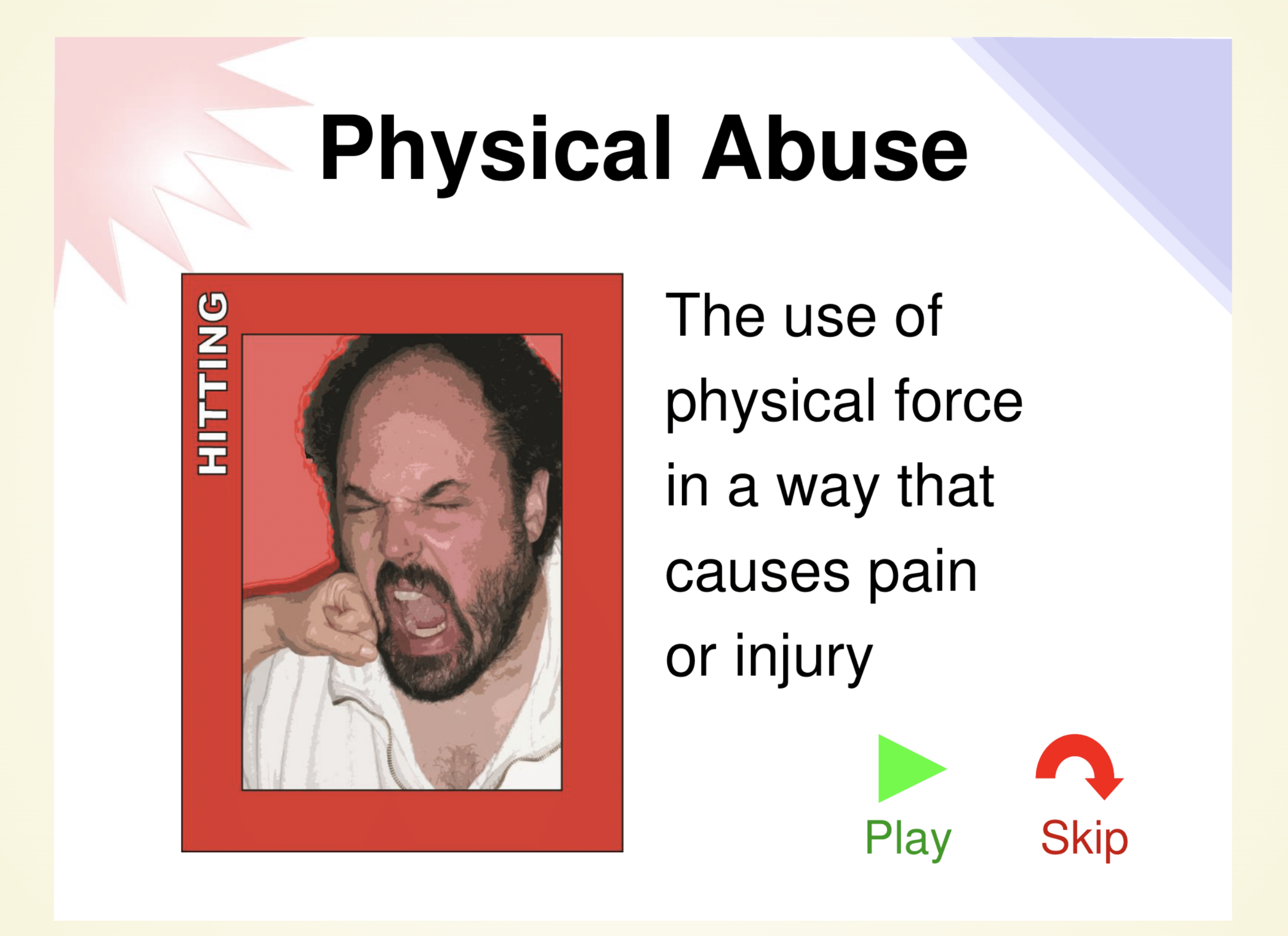
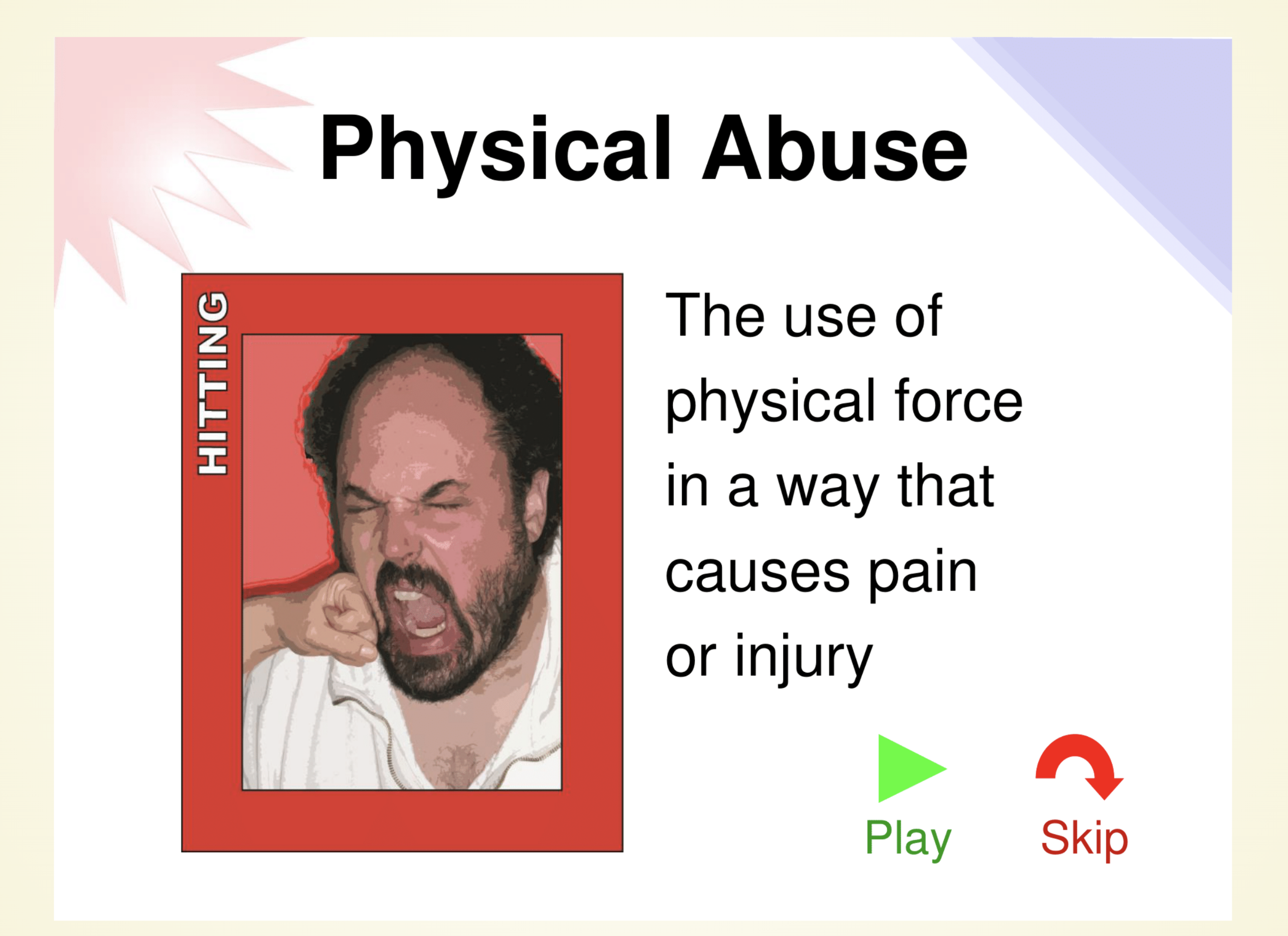
During each session three distinct prototypes were trialed. Each version attempted to refresh the participant’s knowledge of sexual abuse in a different way. Version A used a deck of slides which were extracted from the A&A training materials. Version B presented the updated version of the video content from Section 3.1.2.3; based on feedback from the co-design session, the sexual abuse video from the A&A training was segmented into three discrete clips, two of which contained abuse. Finally, version C trialed the No Touch Zones skills-game as discussed in Section 3.1.2.5. A screenshot from each of these versions can be seen in Figure 4.3.
While the order each participant viewed each version was counter-balanced, the general flow of each session was as follows:
-
Instructions were given, including the directive to vocalize as much as possible during the study
-
The user is given an orientation of the application by the lead researcher
-
Control transfer is attempted
-
The user was asked to complete a version of the lesson
-
Survey questions were asked on the version they had just completed
-
The same two steps above were repeated for each version
-
After all versions had been viewed, questions on all three versions were asked
Once the above steps had been completed participants were debriefed and they signed off, concluding the evaluation.
Data Analysis
The collected recordings from the evaluations were transcribed and analyzed for thematic content with regards to user sentiment towards each version. A code for this analysis was developed over several iterations of thematic analysis. Particular emphasis is placed on participants’ answers to direct questions, supplemented with their reactions while using the application and the number of interventions needed for them to complete a lesson. Quotations were then selected from the evaluations to illustrate the sentiment of each participant.
The code developed during this process is reflected in Table [tbl:theme-definition].
| Theme | Definition | Examples |
|---|---|---|
| Positive Reaction | When a participant exhibits a positive reaction while using or discussing the application. | "This is good", "I like this", "Wow" |
| Negative Reaction | When a participant exhibits a negative reaction while using or discussing the application. | "This is bad", "This is confusing", "I don’t agree", "I don’t understand" |
| Intervention Required | When a researcher has to intervene so that the participant can complete a task. | "I need help", "How do I?" |
| Incorrect Response | When a participant selects an incorrect answer. | "Oops" |
| Enhancements | When a participant suggests an improvement to the application that is not a fix. | "Add feature X" |
| A&A Connection | When a participant connects the application to the in-person training. | "This reminds me of x from A&A" |
Results
User evaluations yielded a wealth of knowledge with regards to the efficacy of an application designed to refresh an individual’s knowledge about abuse. Both the interactive portion and the follow-up questions were designed to be semi-structured, allowing participants to communicate however they saw fit, moreover, participants were guaranteed anonymity to encourage an honest and open discussion. Overall, there were 337 total themes identified. Of these 337 themes, 201 were positive, 68 were negative, with the rest distributed between intervention, suggestion, awareness, and incorrect. All of the themes recorded during the analysis process loosely fit into five distinct areas, each of which is broken down and expanded upon in the following sections.
The Impact of Interactive Content on Engagement
| Participant | Favorite | Middle | Least Favorite |
|---|---|---|---|
| P1 | B | C | A |
| P2 | C | A | B |
| P3 | B | C | A |
| P4 | C | B | A |
| P5 | C | B | A |
| P6 | B | A | C |
Within this work, three prototypes were evaluated which can be broadly classified as having either static or interactive content. In version A users are presented with a deck of slides, a static medium, which fared poorly overall. Version B and C contained videos and skills games respectively, two interactive forms of content which solicited user input during the entirety of the lesson. It is clear that based on the overall rankings from each participant, depicted in Table [tbl:version-rank], interactive content was preferred to static, with 6/6 participants preferring either version B or C over version A.
Video Quizzes were Engaging
Between version B and C, participants generally seemed to indicate that they did have a preference for the videos in version B, with thirty positive reactions towards that modality versus twenty for the skills game found in version C. P1 put it quite explicitly, commenting during his trial with version B, that he “Definitely like[s] this version better because it plays the video clips. ... Because you get to see it action". Even though P4 and P5 preferred the skills game in the end, they both shared some key insights as to why the videos were so effective. P4 stated with regards to the video “they’ll understand it better that way than if you’re just showing pictures... how do we know what it means if we don’t have the video in it?", while when P5 compared slides to the video he had this to say: “[The slides] don’t give you an example of reality, but when you put in videos, now you have a reality."
Skills Activities were Informative
Although version C did have fewer positive remarks, it still tied with version B for the participants’ favorite. While some of this may be caused by the negative reactions to the user interface in version B lowering its overall appeal, which will be discussed in the next chapter, it demonstrates that skills games may be an effective tool for learning. P2 found that the skills game was “very useful, I think people would understand it" and that “they would learn more with the body parts". Likewise, P5 found that “The skills game make[s] it easier to identify what is."
Lack of Engagement with Slides
During the course of the user evaluations, participants expressed a number of concerns, critiques, and issues with version A. P5 stated “I think if you just have slides, then the slides just run together", a sentiment shared by others during the evaluation.
Navigation was Intuitive
Access to technology can be limited for persons with I/DD if applications are not designed with them in mind, ease-of-use is of the utmost importance. All six participants reported that the application was easy to use, with most participants giving concrete affirmations that they thought the system was intuitive. P1 stated that “I don’t think anyone would be confused. ... I think everyone would get it.", P2 said “it was very easy for me to use it", sentiments shared by the other participants.
Acknowledgment was Effective for Motivating Users
Integrating the element of acknowledgement into the application was considered crucial to motivate users to return to the application. The use of emojis to acknowledge when a user completed a lesson was enjoyed by all six participants. P6 in particular seemed to greatly enjoy the experience, after every lesson he completed, he took the time to change his emoji to the newly unlocked one. Moreover, no participant reacted negatively to that element in any of the presented prototypes.
The Importance of Including Grounding Activities
Preventing users from being triggered emotionally should be of the utmost importance while working with sensitive topics, such as abuse; especially in a digital setting where users may be alone. As P5 so aptly pointed out, when completing these types of lessons at home, if one were to be triggered “Where is there to go? Where is there to feel safe if you’re technically supposed to already be in the safe spot?". Physical trainings do not suffer from this same issue, again as P5 pointed out, “the good thing about the personal trainings we do is you can take a staff and go out into the hallway and cool down." These excerpts clearly demonstrate the seriousness of keeping individuals, who may be alone, grounded during the learning process.
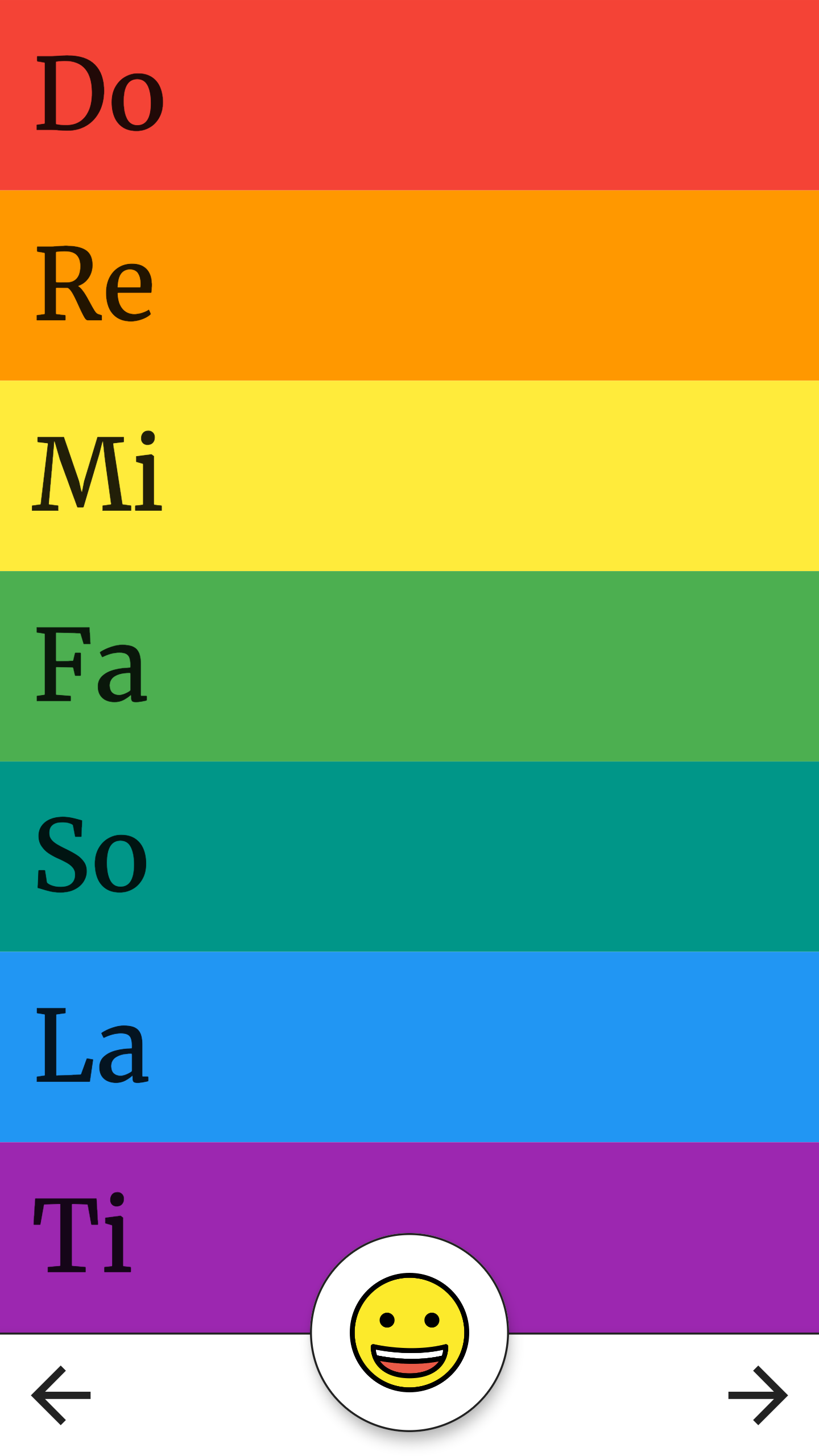
Within this study, we explored the effectiveness of music as a grounding activity through the use of a Xylophone activity in which users were allowed to play various musical notes; a screenshot of this activity can be seen in Figure 4.4. One interesting observation was the participants enjoyment of the music activity as a grounding exercise. Overall, P2, P3, P4, P5, and P6 all expressed positive feelings towards the music application. When asked if it would help individuals relax, P3 confirmed that “[he] think[s] it would." Moreover, several participants played with this activity at every opportunity during the evaluation.
Using the Application for Reporting Abuse
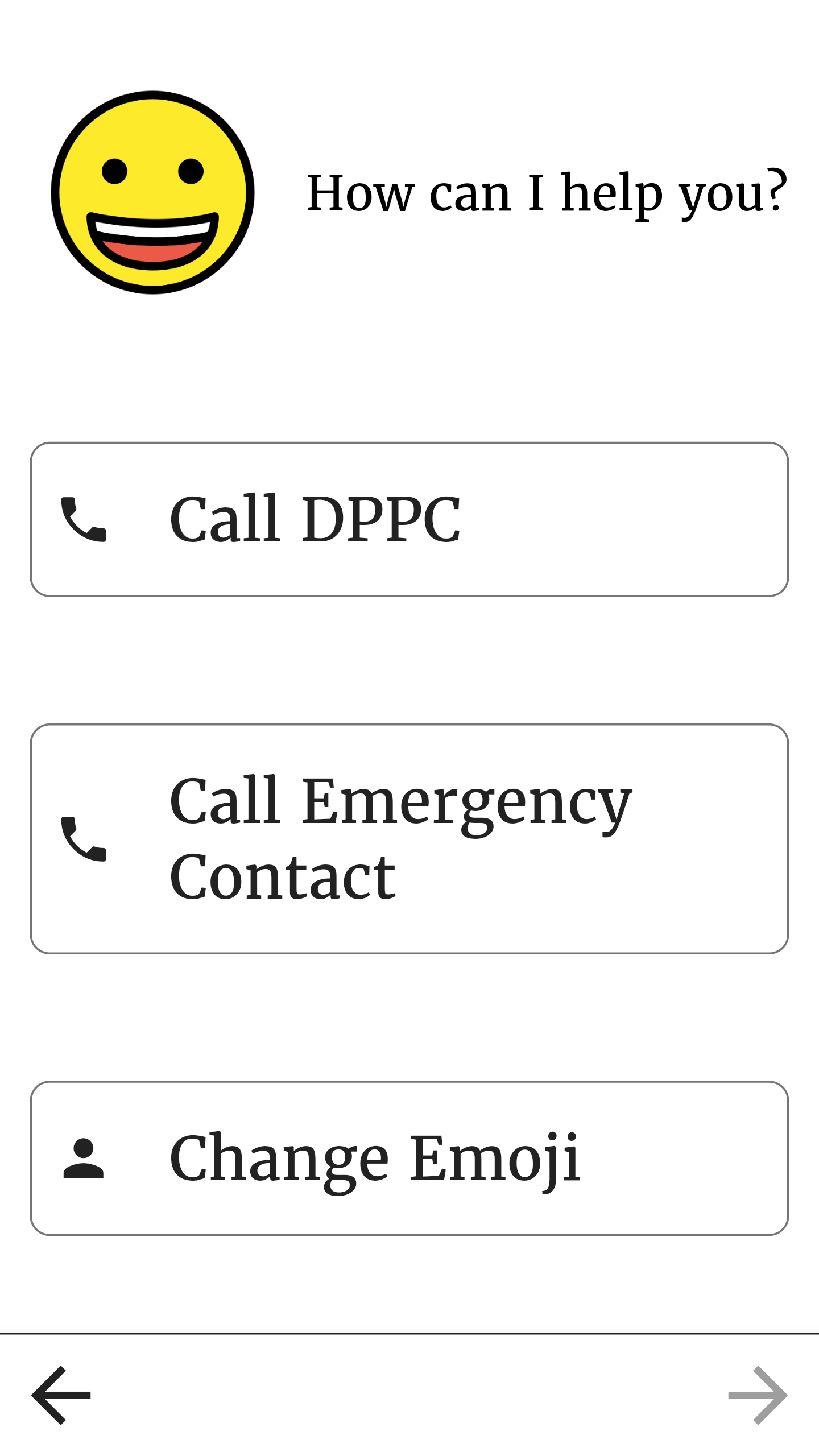
Although the application presented in this paper was designed for learning, several participants insisted that it could serve a larger role for the community of individuals with I/DD. P1, P2, and P4 all believed that the application could also be used to help individuals with I/DD report abusive behavior. Specifically, these participants believed that individuals with I/DD, especially those who are non-verbal, could use this application to express what happened to them to those around them. P2 stated that users could use the app to say “this is what happened to me, and they can click on the picture and show the person. ... it’s going to be very helpful to some people. I’m not saying everybody, but some people are going to get very good use out of it.", and that “I think people are going to call DPPC more and use the hotline than what they’re doing right now.", clear indications that this application may be an effective tool for reporting. P4 noted, while looking at the always-available menu, as seen in Figure 4.5, “That’s really a good way to ask the question, ’How can I help you?’, well, I need to call this person, the DPPC, okay well click that."
While reporting abuse was not a goal for the application presented in this study, participants demonstrated the need for consideration in that direction. Instead of relying on verbal and gestural descriptions, providing users with a reference library of the different types of abuse could be empowering.
The Effectiveness of Using an Application to Refresh Knowledge of Abuse
Participants in this evaluation were asked to use the prototype and answer follow-up questions. Both of these techniques indicated that users found the application to be an overall success. All six participants in this study indicated that they would download the application, that they would use the application, and that they would recommend others download and use the application as well. Overall, participants believed that this application would be effective at refreshing the knowledge attained during the in-person A&A training. Concrete examples of this belief can be found across all six evaluations and across all three of the presented prototypes.
Recommending Others Use the Application
Within this study, recommending that others download and use the application to refresh their memory is considered an indication that the participant believes the application to be an effective learning tool. P1, as an A&A trainer, stated that he would recommend his students use the application “every 48 hours, every two days" after having seen all three versions of the application presented during the user evaluations. Similarly, P2, P3, and P6 also stated that others should use the app either daily or every other day so that, as P2 stated, “they can remember what they saw, or if something happened to them, they can show it". Unlike P1, P2, P3, and P6; P4 and P5 provided looser guidance as to how often users should complete lessons. P4 indicated that, in regard to the training, “if you do it less, then you’re not gaining the strength to tell somebody, if you use it more then you’re gonna be like okay, now I know I really need to say something. Cause’ a lot of people just shut down, they get shocked, they don’t know what to say, they don’t know what to do, and I think that if it was more that it would definitely be a better thing to have." Somewhat contrarily to all of the other participants, P5 strongly emphasized that users should only use it “As they’re comfortable." focusing on the fact that individuals have undergone different amounts of trauma and that they know best what is good for them.
Willingness to Download
Additionally, all six participants declared that they themselves would download the application, although P1 stipulated that he would only do so “if it was like version B" (the video-based version). Interestingly, all participants stated that they would use the application less than or equal to the number of times they would recommend others use it. P5, when asked if he would download and use the app explained it as follows “I would download it. Because I don’t know how often I would use it, but I would definitely download it. But, then again, I’m a trainer and trainers only look over it once every while.", a sentiment that may have been felt across participants 1 through 5, all of which were either actively conducting A&A trainings or had done so in the past. P6, the only person who had not been an A&A trainer, was also quite confident in his understanding of the material, explaining “I don’t need to do like the daily one I don’t think.", belying a sense of confidence which may warrant further investigation.
Discussion
Individuals with I/DD are abused at a higher rate than able-bodied individuals (Valenti-Hein and Schwartz 1995). One potential way to reduce the rate of abuse is to educate individuals with I/DD about abuse, what to do when it happens, and how to report it; hopefully preventing further incidents from occurring. The purpose of this work was to create a digital application capable of refreshing an individual’s knowledge of abuse anytime and anywhere.
Based on the results of the usability study, one can conclude that the prototypes presented in this work may be a viable way to refresh an individual’s knowledge of abuse based on the Awareness and Action (A&A) training. All participants indicated that they thought the application would be beneficial, that they would recommend others use it, and that it would be effective. From the literature review conducted in Chapter 2, it can be seen that research into educational applications for serious contexts, such as abuse, with individuals with I/DD is under-explored. Consequently, based on the results from this work, recommendations are outlined for future works in this area.
Recommendations for Future Applications
Even though participants in Chapter 4 stated that they would download and use the application as it was presented in the usability study, based on the results of both studies conducted in this work, it appears a combination of prototypes may be more effective than any of the prototypes on their own. Overall, results from Chapter 4 demonstrate that participants found Version A (Slides) to be boring, that Version B (Video) was challenging to use, and that Version C (Skills Activities) may not have had enough content. Meanwhile, results from Chapter 3 indicate that slides can play a crucial role in providing context for the more dynamic units, such as the video quiz or skills activities.
Therefore, while none of the prototypes were found to be perfect individually, a combination of the three versions is promising. More specifically, the results in this work indicate that arranging content as: slides, followed by a grounding activity, followed by a video-quiz or skills activity, finally followed by an acknowledgement, could be highly effective. Hybridizing the prototypes in this way could take advantage of the strongest aspects of each, while simultaneously mitigating their shortcomings.
Solutions for Reporting Abuse for Individuals with I/DD
One of the key points uncovered during the usability evaluations was the importance of providing mechanisms to facilitate the reporting of abuse for individuals with I/DD who may or may not be non-verbal. Several participants mentioned this need at various points in the evaluations. Focus should be directed towards providing interfaces that individuals with I/DD can use to quickly navigate through large quantities of content, allowing them to quickly surface images of importance so that they can show others a specific image at a moment’s notice.
One illustrative example would be, imagine a user who wishes to show a mandated reporter what happened to them. This user should be able to open the application, navigate to an image depicting what happened to them, and show that image to the reporter, quickly and easily. Providing users with a way to communicate about and better report abuse could prove to be an effective mechanism for stopping additional instances of abuse in the future.
Limitations
Although user evaluations conducted in this study yielded positive results, there were a number of potentially limiting factors. Time constraints, made worse by the Covid-19 pandemic, forced the scope of this work to narrow, leaving key elements for further investigation. While this work has flushed out the necessary components, it did not examine the correct composition of components, nor stylistic decisions, so that the application could be intuitive to use for individuals with I/DD. Furthermore, these studies themselves were conducted with only a single individual who had not previously taught the A&A training, potentially biasing the results in the positive direction, as our participants were all individuals who already believed in the efficacy of the training.
Accessibility was not a Focus of Research
Although participant responses were positive to the interview questions, during the user evaluations, the number of interventions required for a participant to complete a lesson were tracked and recorded. Of the thirty interventions required for all participants to complete the three lessons, nineteen of them were for the video unit, with seven for the quiz, and the remaining three divided equally between the music, skills, and navigation. Along with the interventions, a few participants did express their feelings about the video interface during their experience with the prototype, with P2 stating “this whole section confused me". One should note the contradictory findings from the answers to the questions versus the number of interventions required to complete the unit.
Overall, focusing more on accessibility and the intuitiveness of the application could help reduce the number of interventions, allowing participants to experience more of the application for themselves rather than requiring assistance to complete activities. Future work should focus on improving the design of the application to decrease the number of interventions necessary for an individual to complete a lesson.
Sample Population Biases
Participants in Chapter 4 were predominately A&A instructors at one point or were actively providing A&A trainings at the time of the evaluations. Recruiting from this population for these evaluations may have biased results in the positive direction, as these participants have a direct interest in the A&A training materials. Moreover, these participants may be generally biased to applications more similar to the A&A training, especially if they believe the current training to be effective.
Limitations in User Device Control
For this study, users were asked to log in using the device of their choosing. Unfortunately, this prevented the ceding of control to any participant who did not join the session from a desktop computer. The inability for certain participants to control the application due to technical limitations may have biased results as dictation can hide certain misunderstandings. For example, when a participant dictated something like ‘next’, the researcher controlling the emulator would take that to mean clicking on the arrow to move the screen forward, even when other interpretations were possible, such as scrolling.
Conclusions and Future Work
This thesis pushes forward the scientific communities’ understanding of what an effective application for refreshing an individual’s knowledge of abuse may look like. After conducting an initial survey of previous efforts in teaching individuals with Intellectual/Developmental Disabilities (I/DD), two studies were conducted sequentially in which persons with I/DD were asked to help design and help evaluate several prototypes. Findings from these studies formed the basis of application recommendations that will hopefully prove effective in future larger-scale research efforts. Hopefully, continuing to improve the accessibility of educational tools for persons with I/DD can help improve the rate of reporting abusive behavior and, in turn, reduce instances of abuse.
Study one in this work used collaborative design (co-design) to evaluate the potential effectiveness of five different prototypes. Within this work participants were shown a concrete probe and asked to provide as much feedback as possible. Even though certain elements in this stage were difficult to explain, numerous valuable insights were provided, from ruling out elements that would not work, to improving elements that would make it to the usability study.
Study two, the usability evaluation, focused on determining the most effective way to engage with potential end-users of the final application. Executing this study in a remote synchronous fashion proved to have several challenges, yet the information obtained was nonetheless informative and insightful. Watching several participants manipulate the application directly revealed points of friction in the user interface, with semi-structured interview questions providing deeper insights into how participants felt while using the application. Overall, results from this study were extremely promising.
Several conclusions can be made based on the results of the two studies included in this work. First and foremost, it is clear from the evidence gathered during the execution of this work that an application can be an effective tool to refresh an individual’s knowledge about abuse. Individuals explicitly stated that they would use the application as it was presented, a high-fidelity prototype, immediately; and, that they would recommend others do the same. These results were even more promising as the participants making these claims were, in some cases, themselves A&A trainers.
Second, one can conclude that remote synchronous evaluations are a viable way to overcome challenges present in the current global climate. During the trials presented here we experienced only minor technological glitches and managed to glean a depth of information.
Finally, one can see a clear indication that individuals with I/DD need an application like the one proposed here. Not only do the results indicate that the application could be effective in refreshing knowledge, they indicate that an application like the one proposed here could also increase reporting directly through the use of the included buttons designed to call an emergency contact or the DPPC, along with the imagery which could be used to communicate precisely what happened to the user themselves.
Recommendations for Future Research
Future research should focus on accessibility of the application through the use of a large-scale remote asynchronous study, with periodic interviews to assess the successful integration of the application into lives of the participants. Extending this work with such a study could provide the last step in taking the proposed application to being production ready. Within this work, it is recommended that researchers present a singular version of the prototype, a combination of the three versions presented in Chapter 4, as discussed in Chapter 5. In order to better understand the results from this study, the final application should be properly instrumented to emit metrics for the research group to analyze; metrics such as the frequency of use, number of incorrect responses, number of navigational movements during a lesson, and the time spent on each page could provide valuable insight into the intuitiveness of the application.
Along with this larger-scale study, an effort should also be made to understand how this application could better serve in the roll of assisting individuals to report abusive behavior. Within this work, a more formative approach should be taken, perhaps beginning with a focus group or a co-design session focusing on how to lower the barriers to reporting so that individuals with I/DD may feel confident in their ability to report abuse successfully and securely. Special attention should be given to the indication that users of the application may benefit from having a library of imagery accessible for when they are trying to communicate what has happened to them. Moreover, future work could consider the implications of providing a way to report abuse in which individuals are able to actually reports about abusive events using the pictures from the application directly.
Supplemental Materials
Thematic Analysis
Positive Reaction
Origin: Part of the initial set
Other terms: Satisfaction, good, happy, liked it
Coded as: theme-positive
Definition: When a participant exhibits a positive reaction while using or discussing the application.
Examples: This is good. I like this. Wow.
Quotes:
-
"I just think it’s very helpful." - P1, line 277
-
"The content the way it was set up I definitely like it. It was simple for anyone to understand." - P1, line 314
-
"I think this is going to be very helpful for people, you know? Not just because we’re doing it, but I think more people will be able to understand it." - P2, line 141
Negative Reaction
Origin: Part of the initial set
Other terms: Dissatisfaction, bad, not good
Coded as: theme-negative
Definition: When a participant exhibits a negative reaction while using or discussing the application.
Examples: I don’t like this. This is confusing. It won’t do x.
Quotes:
-
"I’m kinda on the fence with it." - P1, line 297
Intervention Required
Origin: Part of the initial set
Other terms: Confusion, help, how can I?, you should change this
Coded as: theme-intervention
Definition: When a participant needs or asks for help from the researchers to complete a task. Anytime the user is interrupted or prompted to do something.
Examples: How do I? Can you please do? Now do x.
Quotes:
Incorrect Responses
Origin: Part of the initial set
Other terms: wrong answer, oops,
Coded as: theme-incorrect
Definition: An incorrect response to a quiz question.
Examples: When a participant submits an incorrect answer on a quiz
Quotes:
Awareness and Action References
Origin: Added after iteration one through participant one
Other terms: the training, when I taught, when I took the training
Coded as: theme-awareness
Definition: A connection made by the participant from the application to the in-person Awareness and Action training
Examples: This reminds me of the Awareness and Action training.
Quotes:
-
"I liked it was very detailed, itś a very detailed and well-thought-out and it breaks it down. So, it’s a very- it’s a quite- that reminds me of the way I taught, like, in-person with the slides and stuff, so definitely. I just think it’s very helpful." - P1, line 272.
Ownership
Origin: Added after iteration one through participant one
Other terms: design suggestions, enhancements, changes, I think you should add
Coded as: theme-suggestion
Definition: When a participant demonstrates ownership of the product, making design suggestions or requesting changes.
Examples: You should do X. I would like Y better. Change Z.
-
"Like a game, like a small game or something like that" - P1, line 305.
Communication
Origin: Added after iteration one through participant one
Other terms: non-verbal, talking, questions
Coded as: theme-communication
Definition: When a participant discusses using the app to talk to other people
Examples: I would use this if somebody had something happened, I would show them so they can see it, they could hold up the picture and say this happened to me.
Collaborative Design
Collaborative design (co-design) prioritizes the agency and quality of the user experience from the outset by involving potential end-users directly into the design process. Often, in the case of co-designing with persons with I/DD, there is a tendency for the designer to work directly with the caregiver or a network of persons close to the individual as proxies, but not to the individual themselves. Unfortunately, this can marginalize the input of the end-user, who may experience the world differently and thus have different needs. Brereton et al. performed two case studies using design after design, each working closely with a population living with I/DD, in their work "Design after design to bridge between people living with cognitive or sensory impairments, their friends and proxies". While both case studies in this work were initiated with the help of proxies, both attempt to integrate a population with I/DD deeply into the co-design effort.
Both case studies were initiated using reflective agile iterative design (RAID) with proxies of the users to provide a base platform to work from. Once this platform was in-place, design after design was used to iterate and refine the product.
The first case study was performed in collaboration with a local service organization that helped individuals with I/DD. To initiate the work, researchers organized several on-site visits to the facility, in which they engaged in observation of, and discussion with, clients of the service organization, their caregivers, staff of the facility, and the facility manager. During these on-site sessions, researchers quickly discovered that the facility was making heavy use of goals to help motivate and track the progress of their clients, a process which seemed to lack direct input from the client; yet, the authors note that, finding motivation to achieve a goal one has not set for themselves can be a challenge, thus motivating the need for a new solution which could better take into account the input of the client. After establishing the scope of the problem Brereton et al. were attempting to alleviate, researchers recruited a cohort of individuals with I/DD to test and provide feedback on an early prototype.
Unfortunately, the first prototype was found to be off the mark, causing an uptick in mobile device usage during the day, most likely caused by an overly complicated, and altogether too strong emphasis on, goal tracking rather than goal setting. Researchers quickly adapted, creating and testing a second prototype which shifted the focus more towards goal creation by super-imposing images of the user into another image which represented the users’ goal. Once this prototype had gone through early testing, it was deemed stable enough to be engaged in a process of design after design with potential end-users. According to the study, within 30-40 minutes participants had both taken ownership of the product, proposed new design directions, and offered insights that proxies were unable to generate.
One novel insight gained from the participants was that the "excitement and motivation for using the application was different from the motivations of the proxies" (Brereton et al. 2015) (page 10), instead of sharing their super-imposed images with their supervisors, participants began excitedly sharing them with their friends and family. Similarly, participants began superimposing multiple people onto images, another novel usage designers had not considered. Overall this first case study demonstrated that while proxies may help express initial requirements for a project, actual users are more than capable of providing design feedback and demonstrating novel flows through an application. The authors observed no real difficulty in using the app and gained valuable insights by integrating users with I/DD directly into the co-design effort.
The second case study discussed in (Brereton et al. 2015) focused on supporting communication between home and school for children with autism spectrum disorder (ASD) and language delays. The purpose of the application researchers developed was to allow children with ASD to communicate by taking photos by themselves, their parents/caregivers, or their teachers. Development of this application was initiated with contextual interviews and discussions with a special education classroom within a primary school. Teachers in these meetings pointed out the lack of a solution to alleviate communicational boundaries across various settings, the fact that their students loved photos and videos, and that their students were capable of taking photos and videos on an iPad. These elements formed the basis for the first prototype.
Once the design was finalized, the prototype was deployed for a six-month trial with ten families including eleven children, with a researcher visiting the school every week to backup data from the iPads and to resolve any problems. Due to the nature of the population in the second case study, the children were never directly interviewed, instead, the observation of usage patterns and interviews with teachers and parents were used to make design decisions. The application itself was a calendar in which students, parents, and teachers could upload photos to any given day along with notes. Brereton et al. believed this app would be primarily used for the parent and teacher to leave notes about the child, with the photos helping the child and parent communicate and reflect over time.
During the long-term trial, several novel utilizations of the application emerged: the application was used for show and tell, which spurred inter-child communication about the things they presented, children were able to communicate to their parents what their friends were doing, and parents began using the photos to prepare their children for future activities by showing the child photos of themselves performing the same activity in the past. These novel usages prompted several design changes, including adding the ability for a child to react to media they particularly like with smiley faces and an ability to share content on their calendar to other students.
Integrating individuals with I/DD into the development and design of an application can yield a number of advantages, according to the results of this study, regardless of the level at which they are able to participate. Based on these findings, it is the responsibility of the researcher to ensure the end-users are integrated as much as they can be into every step of the design process. Unfortunately, what is not addressed here is the impact of co-design on applications with narrower purposes and the impact of avoiding the use of proxies entirely. Both underlying applications developed in this work involved sharing content and user-created content, actions which may have encouraged the results observed; and, both started from requirements generated with the help of proxies. An additional case study addressing a much narrow application footprint could have verified the efficacy of co-design under a wider array of circumstances. Similarly, there is an opportunity to investigate requirements generation by working directly with the end users. (Brereton et al. 2015)
Better understanding the role proxies can take in co-design, even exploiting their intimate knowledge of the individuals for which they care, could prove invaluable. While Brereton et al. focused on emphasizing the role of the end-user, Sitbon and Fahrin explore the impact of making proxies active participants in the co-design process. Their work, "Co-Designing interactive applications with adults with intellectual disability: a case study" (Sitbon and Farhin 2017) presents an argument for the inclusion of four distinct features: explicit inclusion of caregivers/proxies in both communication and design, presenting non-finito features (elements which have no associated action), concrete initial prototypes that the user can interact with, and rapid development frameworks such as MIT App Inventor. Sitbon and Fahrin apply these four elements to the problem of designing a mobile application to support individuals with I/DD whilst using public transit. Motivated by a workshop with individuals with I/DD, their caregivers, and experts from various support organizations, navigating public transportation was clearly identified as a barrier individuals with I/DD face in their daily lives.
After defining the purpose of their application, a thorough review of the literature was performed to establish requirements for the initial prototype. Their final prototype could perform the following functions: alerting the user before the starting their journey, providing the time remaining until the next bus arrives, keeping users on a bus informed on how many stops remained before they had to depart, and pedestrian navigation between the terminal bus stop and their destination. Additionally, researchers included a non-finito feature. Specifically, in this work, the non-finito feature was a panic button which did nothing when pressed, obviating the need for user input during the co-design sessions. Once the requirements, functionality, and non-finito feature were set, researchers composed both a paper-based and digital prototype to bring to the co-design sessions.
Three distinct co-design sessions were conducted, all were one hour in length, each involved one individual with I/DD with the caregiver. At this stage, unlike in previous works, caregivers were explicitly requested to take an active role in the discussion. Researchers hoped that by including the caregiver explicitly they could alleviate potential miscommunications with, and alleviate the burden on, the individual with I/DD.
Results from this case study were quite positive with regards to three of the four elements considered. Inclusion of caregivers played an important role in supporting the participants as they expressed their ideas and needs, these proxies to the end-user acted as translators when researchers used jargon and rationalized abstract notions (for example, translating "a place you go" to a concrete location such as "work"). Researchers noted participants were noticeably more engaged with the digital prototype than with the paper version, it appeared that the ability to interact directly with the digital version made the experience more engaging, "evidenced by an increase in their visual attention to the task, as well as an increase in their verbal responses" (Sitbon and Farhin 2017) (p. 489), though no formal statistical measures were taken. Incorporating the non-finito feature also provided valuable insight, with participants stating that they "did not anticipate [being] comfortable asking for help" (Sitbon and Farhin 2017) (p. 489) if a volunteer service were put in place to help users, but that users wanted to be able to set the button to call persons in their existing support network. Unfortunately, the use of a rapid design framework to incorporate changes live during the co-design sessions was fraught with difficulties, stating that the one-hour duration was not a sufficient amount of time to employ the tool effectively.
Several conclusions can be drawn from this work, yet they are limited in their application. The strongest conclusion in this work is that the explicit inclusion of proxies can help foster a deeper understanding between researchers and individuals with I/DD during co-design sessions, their intimate knowledge of the individual allows them to effectively translate the research questions into more concrete probes, they can then take the response of the individual and add color for the researcher if needed. An argument can also be made for digital prototypes being more effective than paper-based ones, yet no statistical measurements were provided as evidence of this claim, rather the authors only include their (potentially biased) observations. Furthermore, their discussions around the non-finito feature are more compelling, citing specific ideas and thoughts from the participants that may not have been elicited had the feature been implemented rather than left to the imagination of the participant.
Though this work proposes several good elements to consider in future efforts, there are limitations inherent in the lack of statistical evidence provided. Thematic analysis of the reactions of the participants, surveys conducted on sentiment after using the prototype, or other efforts could have increased the weight of the aforementioned claims substantially, but alas these techniques were not applied. Another limitation of this study is the number of participants included, only providing insights from three individuals does not provide a strong foundation to build from. (Sitbon and Farhin 2017)
Integrating end-users into the requirements generation phase, particularly when the end-user is a person with I/DD presents a challenge. The wide variety of experiences and specific difficulties in communication can make the task arduous for researchers. Dæhlen and Joshi investigate immersion as a solution to this problem in their work "Immersion as a Strategy to Facilitate Participatory Design Involving People With Intellectual Disabilities and Caretakers as Proxies" in 2019. This study was conducted with fifty-six participants comprised of individuals with I/DD, their caregivers, and staff of the participating facility. Instead of surveys and focus groups, Dæhlen and Joshi immerse themselves into the life of their end users, with the hope that this immersion could produce enough context to represent the end-users’ voice in phases of development where the user was not interested (or could not participate) in.
In order to complete this work, a researcher from their team volunteered on a weekly basis at the participating activity center, accruing a total of 100 hours at the center. Along with this long-term commitment, Dæhlen and Joshi also conducted contextual observation of the center, analysis of diary journaling done by the volunteer, exploratory workshops, and specific interviews. To compare the impact of the immersion process, the entire corpus of data was coded by both the immersed researcher and a non-immersed researcher, yielding only a 33% overlap on agreed labels. Indeed this work does indicate that immersion played a large role in the meaning ascertained by the analysis performed.
Unfortunately, a sample size of two researchers is not conclusive. Even though one researcher did commit 100 hours to the immersion process, this study must be replicated at larger scale before the evidence presented can be taken as fact. Fortunately, it is substantially safer to say that immersion helped foster a somewhat deeper understanding between the researcher and the participants, which can help during requirements generation. The limitation here is the notion of the benefit of immersion over time, if trials were held at 10 hour intervals, one could examine the divergence in interpretation of the researchers as a function of time spent with end-users, which is, unfortunately, not possible to say based on this work. (Dæhlen and Joshi 2019)
Co-design asserts that the developer does not understand the true needs of the end-user, something which may seem self-evident, but which is not often considered. It can clearly be seen from the literature that co-design protocols consistently yield novel insights, better design directions, and more satisfying applications to use - even when the population may have inherent challenges communicating ideas to the developers. Future researchers must head the writing on the walls, co-design is a highly effective way to produce better applications.
Even though Shaban and Pearson stipulate that competition should be avoided, they simultaneously advocate for the use of points to reward users, a mechanism which allows users to rank themselves against their peers, potentially introducing the external competition they recommend avoiding. What Shaban and Pearson seem to overlook is the myriad of alternatives one has when integrating the game element of acknowledgement. Instead of points, Kidwell et al. examined the impact of using simple badges to reward scientists for open-sourcing data and/or materials in their article "Badges to Acknowledge Open Practices: A Simple, Low-Cost, Effective Method for Increasing Transparency" (Kidwell et al. 2016). These badges were binary in nature, if the author of an accepted article had properly open-sourced their data and/or materials, they received the appropriate badge. The goal of these badges was to increase the quantity and quality of open-source materials, in the hopes that it would make reproducing and verifying scientific results substantially easier.
Before January 2014, contributors to Psychological Science published open data/materials with less than 3% of articles. Kidwell et al. speculate that the cause of this low rate is the tradeoff between the effort required to curate data and the lack of reward for doing so. In January 2014, the journal began offering badges in the hopes that this reward would increase the amount of publications accompanied by open data/materials. Both badges required that the data/materials provided be easily accessible, verifiable, and whole. After beginning to offer these badges publications with open data rose to 39%, an order of magnitude increase which was not seen at other publications which did not introduce the intervention.
Based on the results in this work one can conclude that simple acknowledgement, such as badges, may be an effective motivational tool. Unfortunately, this study did not include a phase in which the badges themselves were kept private. Thus, it becomes hard to disentangle the impact of acknowledgement on its own and the external competition that the badges may have created. Since other researchers could see when a researcher achieved a badge, it becomes difficult to conclude if this intervention caused an intrinsic motivation or extrinsic motivation for researchers to comply. (Kidwell et al. 2016)
User Evaluations
Usability testing often incorporates a notion of thinking aloud by the participant to help elicit information during the evaluation. Overall there are three studied methods for think aloud research, namely concurrent think aloud, where users are asked to think aloud whilst using the application; retrospective think aloud, where users complete their given tasks and then provide commentary whilst watching their actions within a video; and, hybrid methods, which combine the two. Alhadreti and Mayhew examine which of these methods is most effective in their work "Rethinking Thinking Aloud: A Comparison of Three Think-Aloud Protocols" in 2018. Specifically, they examine tradeoffs between all three methods in terms of efficacy, number of problems found, and cost as a function of time spent by the researchers and participants, as well as the emotional impact each method has on the participants themselves.
Researchers selected a university library website as the foundation for their testing, selecting a number of tasks which could be completed independently on the site, and recruiting sixty participants, all of which were students of the university, as they made up 85% of the users for the website. Participants were segmented into three groups of twenty with nearly identical demographic composition to control for individual user capabilities. After familiarizing participants to the computer they would use for the evaluation, each group completed all given tasks under various conditions, the concurrent and hybrid groups were instructed to think aloud whilst completing the activities, whereas the retrospective group were given no instruction and completed the tasks in silence. Once the tasks were completed, users in the hybrid and retrospective groups were then asked to watch silent video playbacks of their actions and provide commentary on what happened.
No statistically significant difference was found amongst the groups in regards to task completion, satisfaction with the site overall, nor did participants believe their work was different from their normal work, regardless of whether they had to think aloud whilst performing their tasks. However, participants did find the hybrid and retrospective protocols significantly more time consuming that the concurrent group. Besides the participants perception of the experience, researchers also collected empirical data on the number of usability issues uncovered in each of the three cohorts. Overall, the concurrent think aloud method was the most efficient method studied, uncovering 47/75 issues and taking 29 minutes per issue, where time per issue is measured as the combination of time that the participant takes to complete the evaluation and that the researcher takes in completing the analysis. The hybrid method was the next-most efficient, finding 52/75 issues, but taking 45 minutes per issue uncovered, whereas the retrospective method uncovered only 33 issues and took the longest, resulting in 68 minutes spent per issue uncovered.
It is worth noting that most of the discrepancy in the number of issues found is in what are considered "minor" issues, all three protocols were able to uncover nearly the same set of critical issues, indicating that while all three methods can provide the most critical information, the concurrent protocol should be preferred where possible. Limitations with this study are mostly contained to the demographic used. University students are not indicative of the population at large, especially considering the elderly or persons with I/DD, who may have a harder time thinking aloud and completing the tasks. Particularly of interest for populations with I/DD, the authors postulate that one deficiency in the retrospective protocol may be in the limits of working memory, with participants failing to remember what they struggled with during the evaluation phase. This concern is particularly important when considering populations which may have a diminished working memory capacity. (Alhadreti and Mayhew 2018)
Evaluating a product with an end-user is important to understand whether or not it achieves its goal. Finding candidates to for these evaluations can be challenging when a specific demographic is needed, especially one which may be considered at-risk or vulnerable. Individuals with I/DD represent an even greater challenge as they may need assistance with transport and communication via their caregiver or a family member, increasing the logistical burden. Petrie et al. explored the use of remote evaluations to lessen this burden in their work "Remote Usability Evaluations with Disabled People" in 2006. They report on two case studies in which partially remote evaluations were used, comparing the methodology and effectiveness of remote vs local evaluations with persons with I/DD. In both case studies, the remote portions were done asynchronously; in one case study, participants were trained locally before completing the evaluations remotely, in the other, participants were sent instructions and expected to train themselves.
Case study one was comprised of a formative evaluation of a software system with participants who were blind. This system was first evaluated in-person, with participants either going to the lab or the researchers traveling to the participants. After the local interviews were complete, Petrie et al. completed a round of remote evaluations and compared the results. During the in-person evaluations, participants were asked to think aloud whilst attempting the specified tasks and then debriefed by the researcher, whereas during the remote evaluations, participants were asked to make notes on problems as they encountered them, after the remote participants completed their tasks, researchers would call them on the telephone to complete the debriefing remotely.
Analysis of this study revealed only one statistically significant difference in responses between the two groups, involving a feature of the software that required researcher-intervention during the in-person evaluations. One hypothesis presented was that the remote evaluators, not having the intervention, may have believed that they had correctly used the feature, whereas local participants were made aware of the issue and were thus able to describe the shortcomings of that feature more precisely. This statistical difference in the one feature which required local intervention highlights the dangers of remote asynchronous evaluations as a researcher cannot know if a task was completed "correctly" or whether the participants simply believes it to be so. Another issue noted by Petrie et al. was the qualitative difference between the in-person and remote reviews, although rankings were mostly similar between the two cohorts, the remote evaluators provided much higher-level feedback, often times not addressing specific usability issues, but rather sentiments about the feature in it’s totality.
Case study two examined summative evaluations of websites by persons with I/DD. In total, fifty participants with I/DD were enlisted to evaluate one-hundred different websites, each participant would evaluate ten sites and perform two pre-determined tasks per site. Before remote evaluations began, participants visited the laboratory in-person to complete two evaluations with a researcher guiding them through the protocol, participants would then evaluate one additional site on their own at the laboratory to ensure they understood the protocol, leaving seven evaluations to be completed on their own personal computers. During the first two evaluations, participants were asked to think aloud during each task, researchers recorded all problems encountered and when the task was complete, the researcher asked the participant to rate the difficulty of the individual task on a scale of one (very difficult) to seven (very easy). After completing both tasks on a site, participants answered overall questions on the website and rated how easy they thought the website was to use with their disabilities. Remote evaluations were to be completed in as similar a manner as possible to the in-person evaluations, with users being asked to record any difficulties they had, rate the difficulty of the tasks, and rate the website overall; additionally, they were asked to rate how confident they were that they had completed the task successfully.
While analysis of the data collected yielded no significant difference in success rates (perceived by the user vs recorded by the researcher), significant difference was observed in the number of errors recorded by the users and in the quality of these reports compared to the number and quality of errors recorded by the researchers, although there was no significant difference in the overall ratings of the websites’ usability. Petrie et al. conclude that quantitative data does not suffer during remote asynchronous evaluations, but qualitative data does. This conclusion provides good guidance as we continue to integrate technology into daily life, especially during the current climate with the prevalence of the novel coronavirus. However, one must note the strong limitation that Petrie et al. did not conduct nor compare results from a synchronous evaluation, which may potentially alleviate the raised concerns with remote participation. (Petrie et al. 2006)
Fortunately, a more direct comparison of remote evaluation techniques was conducted, though participants were able-bodied, in 2007 in Siker et al.’s work "What Happened to Remote Usability Testing? An Empirical Study of Three Methods". In their study, they focused on empirically comparing remote evaluation techniques, both synchronously and asynchronously, to local usability evaluations. To effectively compare the results of their study, both local and remote synchronous evaluations were completed in a lab setting, with the former having a moderator sitting with the participant and the latter situating the moderator in an adjacent room, utilizing video conferencing software as if the participant were in a remote setting, thus allowing them to control for as many factors as possible in their comparison. Asynchronous evaluations were carried out by two cohorts, one comprised of formally trained usability experts, the other being made up of end users. All groups were tasked with completing several tasks using the open-source mail client Thunderbird.
In order to measure the impact of each different evaluation technique, all participants were asked to report on three types of usability issues: mild, moderate, and severe issues, where mild issues posed only minor inconvenience, moderate issues required greater than thirty seconds to resolve, and severe issues prevented completion of the task altogether. Overall, researchers noted a marked decline in the number of issues recovered by the asynchronous groups, independent of their composition being experts or end users. Fortunately, researchers observed no statistically significant difference in any metric between the local and remote synchronous groups. Also of note, participants in the remote synchronous trial reported it being less stressful than participants in the local evaluations, this being potentially related to not having a moderator peering over their shoulders whilst they attempt to navigate the application.
While Andreasen et al.’s results are promising, the application of their work is limited with regards to individuals with I/DD who may suffer from acute difficulties in communication and utilization of hardware to participate in remote usability studies. Moreover, users in the synchronous evaluations were not tasked with installation of the required software, nor dealing with network latencies or technical issues that may plague research in a not-so-controlled environment. Little is known about the effects multiple interruptions and technical issues can have on remote synchronous evaluations, yet these issues may be quite common in practice, when dealing with user-controlled hardware and internet connections that may not be fast enough to handle continuous video conferencing. (Andreasen et al. 2007)
User evaluations are a crucial step in measuring the success of an application. Evaluating a product in-person has been the gold-standard for decades, yet the current pandemic demands that researchers implement remote evaluations wherever possible. To this end, preceding works have demonstrated that the difference between in-person and remote synchronous evaluations is very slight with able-bodied individuals. Moreover, both in-person and remote evaluations, if done synchronously, permit the use of concurrent think-aloud, one of the most effective mechanisms for collecting user feedback.
Unfortunately, preceding works fail to address issues that may occur when completing remote synchronous evaluations with persons with I/DD who may have specific technical needs, or have difficulty communicating. Moreover, conducting remote synchronous evaluations when the user is required to bring their own device and use their own internet connection can also pose problems which have not been addressed.
graphics: yes
Alhadreti, Obead, and Pam Mayhew. 2018. “Rethinking Thinking Aloud: A Comparison of Three Think-Aloud Protocols.” In Proceedings of the 2018 Chi Conference on Human Factors in Computing Systems, 1–12. CHI ’18. New York, NY, USA: Association for Computing Machinery. https://doi.org/10.1145/3173574.3173618.
Andreasen, Morten Sieker, Henrik Villemann Nielsen, Simon Ormholt Schrøder, and Jan Stage. 2007. “What Happened to Remote Usability Testing? An Empirical Study of Three Methods.” In Proceedings of the Sigchi Conference on Human Factors in Computing Systems, 1405–14. CHI ’07. New York, NY, USA: Association for Computing Machinery. https://doi.org/10.1145/1240624.1240838.
Ayres, Kevin, and David Cihak. 2010. “Computer- and Video-Based Instruction of Food-Preparation Skills: Acquisition, Generalization, and Maintenance.” Intellectual and Developmental Disabilities 48 (3): 195–208. https://doi.org/10.1352/1944-7558-48.3.195.
Brereton, Margot, Laurianne Sitbon, Muhammad Haziq Lim Abdullah, Mark Vanderberg, and Stewart Koplick. 2015. “Design After Design to Bridge Between People Living with Cognitive or Sensory Impairments, Their Friends and Proxies.” CoDesign 11 (1): 4–20. https://doi.org/10.1080/15710882.2015.1009471.
Buehler, Erin, William Easley, Amy Poole, and Amy Hurst. 2016. “Accessibility Barriers to Online Education for Young Adults with Intellectual Disabilities.” In Proceedings of the 13th Web for All Conference, 27:1–27:10. W4A ’16. New York, NY, USA: ACM. https://doi.org/10.1145/2899475.2899481.
Carroll, J.M. 2000. “Introduction to this Special Issue on ‘Scenario-Based System Development’.” Interacting with Computers 13 (1): 41–42. https://doi.org/10.1016/S0953-5438(00)00022-9.
Constantine, Larry L, and Lucy AD Lockwood. 1999. Software for Use: A Practical Guide to the Models and Methods of Usage-Centered Design. Pearson Education.
Cooper, Alan. 1999. The Inmates Are Running the Asylum. Edited by Candace Hall. Boger, Paul.
Dæhlen, Asmund, and Suhas Govind Joshi. 2019. “Immersion as a Strategy to Facilitate Participatory Design Involving People with Intellectual Disabilities and Caretakers as Proxies.” In. https://www.duo.uio.no/bitstream/handle/10852/68792/achi_2019_4_30_20168%2b%25281%2529.pdf?sequence=1&isAllowed=y.
Hughes, Karen, Mark A Bellis, Lisa Jones, Sara Wood, Geoff Bates, Lindsay Eckley, Ellie McCoy, Christopher Mikton, Tom Shakespeare, and Alana Officer. 2012. “Prevalence and Risk of Violence Against Adults with Disabilities: A Systematic Review and Meta-Analysis of Observational Studies.” The Lancet 379 (9826): 1621–9. https://doi.org/10.1016/s0140-6736(11)61851-5.
Kidwell, Mallory C, Ljiljana B Lazarević, Erica Baranski, Tom E Hardwicke, Sarah Piechowski, Lina-Sophia Falkenberg, Curtis Kennett, et al. 2016. “Badges to Acknowledge Open Practices: A Simple, Low-Cost, Effective Method for Increasing Transparency.” PLoS Biology 14 (5): e1002456–e1002456. https://doi.org/10.1371/journal.pbio.1002456.
Laiola Guimarães, Rodrigo, and Andrea Britto Mattos. 2015. “Exploring the Use of Massive Open Online Courses for Teaching Students with Intellectual Disability.” In Proceedings of the 17th International ACM SIGACCESS Conference on Computers & Accessibility, 343–44. ASSETS ’15. New York, NY, USA: ACM. https://doi.org/10.1145/2700648.2811370.
Macdonald, Shaun Alexander, and Stephen Brewster. 2019. “Gamification of a to-Do List with Emotional Reinforcement.” In Extended Abstracts of the 2019 CHI Conference on Human Factors in Computing Systems - CHI EA ’19, 1–6. Glasgow, Scotland Uk: ACM Press. https://doi.org/10.1145/3290607.3313060.
Morales-Villaverde, Lourdes M., Karina Caro, Taylor Gotfrid, and Sri Kurniawan. 2016. “Online Learning System to Help People with Developmental Disabilities Reinforce Basic Skills.” In Proceedings of the 18th International ACM SIGACCESS Conference on Computers and Accessibility, 43–51. ASSETS ’16. New York, NY, USA: ACM. https://doi.org/10.1145/2982142.2982174.
Petrie, Helen, Fraser Hamilton, Neil King, and Pete Pavan. 2006. “Remote Usability Evaluations with Disabled People.” In, 2:1133–41. https://doi.org/10.1145/1124772.1124942.
Shaban, Adel, and Elaine Pearson. 2019. “A Learning Design Framework to Support Children with Learning Disabilities Incorporating Gamification Techniques.” In Extended Abstracts of the 2019 CHI Conference on Human Factors in Computing Systems - CHI EA ’19, 1–6. Glasgow, Scotland Uk: ACM Press. https://doi.org/10.1145/3290607.3312806.
Sharp, Helen. 2019. Interaction Design: Beyond Human-Computer Interaction, Fifth Edition. Wiley; Sons Canada, Limited, John.
Sitbon, Laurianne, and Shanjana Farhin. 2017. “Co-Designing Interactive Applications with Adults with Intellectual Disability: A Case Study.” In Proceedings of the 29th Australian Conference on Computer-Human Interaction, 487–91. OZCHI ’17. New York, NY, USA: ACM. https://doi.org/10.1145/3152771.3156163.
“The 191st General Court of the Commonwealth of Massachusetts: General Laws Part I, Title Ii, Chapter 19C, Section 1.” 2020. https://malegislature.gov/laws/generallaws/parti/titleii/chapter19c/section1/.
Toda, Armando M., Alexandra I. Cristea, Wilk Oliveira, Ana C. Klock, Paula T. Palomino, Marcelo Pimenta, Isabela Gasparini, Lei Shi, Ig Bittencourt, and Seiji Isotani. 2019. “A Taxonomy of Game Elements for Gamification in Educational Contexts: Proposal and Evaluation.” In 2019 IEEE 19th International Conference on Advanced Learning Technologies (ICALT), 84–88. Maceió, Brazil: IEEE. https://doi.org/10.1109/ICALT.2019.00028.
Valenti-Hein, D., and L.D. Schwartz. 1995. The Sexual Abuse Interview for Those with Developmental Disabilities. James Stanfield Company. https://books.google.com/books?id=uJMPmAEACAAJ.
Venkatasubramanian, K., J. Skorinko, M. Kobeissi, B. Lewis, N. Jutras, P. Bosma, J. Mullaly, et al. 2021. “Exploring Abuse Reporting for People with Intellectual and Developmental Disabilities.” In ACM Chi Conference on Human Factors in Computing Systems (in Review).
-
Within this work abuse is defined as “an act or omission which results in serious physical or emotional injury to a disabled person” (“The 191st General Court of the Commonwealth of Massachusetts: General Laws Part I, Title Ii, Chapter 19C, Section 1” 2020).↩
-
A self-advocate is an individual who speaks up for themselves and their own interests. It is used to describe individuals involved in mutual aid networks for individuals with I/DD.↩